Picking a phone for an older relative usually starts with worry and ends with compromise. I think about my own family members, the way arthritis can make tiny icons impossible, and how a 2-day battery matters more than a fancy camera to someone who just wants to call the grandkids.
The lineup below leans toward phones that are genuinely easy to live with: big legible screens, simple layouts, long battery life, and at least one option designed purely around emergency response. I focused on devices that balance modern smartphone comfort with straightforward daily use, so you can match the right tool to the right person without overspending or overcomplicating things.
A Quick View Of The Lineup

Google Pixel 10a – 30+ Hours Battery 128GB (Fog)
Samsung Galaxy A36 5G 256GB Dual SIM White

Google Pixel 11 Unlocked 256GB (Obsidian)

Google Pixel 11 Unlocked 512GB (Hibiscus)

Google Pixel 11 Unlocked 512GB (Frost)
LIVELY Mobile2 Medical Alert Device Waterproof

Google Pixel 11 Pro Unlocked 512GB (Obsidian)
More Details On Our Top Picks
For a senior moving up from a basic flip phone, the Pixel 10a hits a comfortable middle ground. It runs a clean version of Android, which means fewer confusing menus and fewer pre-installed extras cluttering the home screen.
Compare that to the older push-button phones many older adults grew attached to: this one keeps the calling and texting simple, then layers in GPS navigation, large-print messages, and a Camera Coach that gently suggests framing. Battery life stretching past thirty hours means fewer midnight charges for someone who forgets to plug in.
What It Does Well
- Over thirty hours of battery per charge reduces daily charging stress.
- Camera Coach helps less tech-confident relatives capture clear family photos.
- Gemini AI assistant can summarize calls, draft texts, and answer questions by voice.
- Lightweight body fits comfortably in one hand or a coat pocket.
Things To Consider
- Android still presents a learning curve for someone used to buttons only.
- No dedicated SOS button means emergencies rely on voice or unlock patterns.
Key Specs
Made For
An older adult ready to try a real smartphone but who still values long battery life and a clean interface over flashy extras.
Consider Something Else When
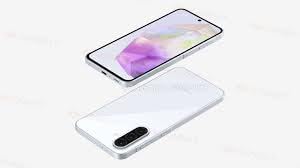
The Samsung Galaxy A36 5G suits a vision-limited user better, since its larger 6.7-inch display makes text easier to read at a glance.
The Galaxy A36 leans into a different priority: a giant, easy-to-read display. The 6.7-inch AMOLED panel hits 1,200 nits of brightness, which makes a real difference when reading outside on a sunny porch.
Where the Pixel 10a focuses on AI smarts, this Samsung leans on its display and water resistance. IP67 means a dropped glass of water or a rainy walk to the mailbox is far less catastrophic. Owners commonly appreciate the 120Hz refresh rate, which makes scrolling smoother for shaky fingers.
The Case For It
- 6.7-inch AMOLED at 1,200 nits improves outdoor visibility dramatically.
- IP67 rating protects against accidental splashes and brief drops in water.
- Dual SIM allows home and travel numbers in one device.
- 25W fast charging fills a drained battery in roughly an hour.
Honest Caveats
- The international factory-unlocked model needs carrier compatibility confirmation before purchase.
- Bundled 25W charger adds bulk compared to slimmer wall adapters.
Right Fit For
Older adults with mild vision loss who want a screen large enough to read without constant zooming, especially outdoors.
Look Elsewhere When
The LIVELY Mobile2 is the stronger choice for someone whose primary concern is one-button emergency response rather than screen size.
The Pixel 11 steps up Google’s clean-Android approach with a refined design and a slimmer camera bar. It’s a sensible middle child between the budget-friendly Pixel 10a and the flagship Pro model below.
I like this one for relatives whose adult children or grandchildren live far away. Gemini Intelligence can summarize a missed call, transcribe a voicemail, and remind the user of medication schedules. The 30-hour battery matches what seniors actually need: a full day plus some buffer, then a quick top-up before bed.
What Earns Its Place
- Matte back finish resists fingerprints better than glossy phones.
- 30-hour battery supports heavy daily use without midday panic.
- 25% faster wireless charging than previous generation tops up quickly.
- Long software support window keeps the phone usable for years.
Points To Keep In Mind
- 256 GB fills up quickly with family photos and video messages.
- Camera bar design makes the phone wobble on flat tables without a case.
Key Specs
Best Suited To
Tech-helping family members shopping for a parent or grandparent who wants a phone that quietly handles the small stuff.
A Better Fit Elsewhere
The Google Pixel 11 Hibiscus with 512 GB makes more sense for someone who takes constant pictures of grandchildren and never deletes anything.
The Hibiscus version is essentially the same Pixel 11 hardware in a warmer pink-coral finish, but doubled storage matters more than color for the right person. 512 GB is generous enough that an older user never sees the dreaded “storage full” warning when grandkids send videos.
Same 30-hour battery, same Gemini smarts, same matte texture, just extra room. For someone who’s been burned by full-storage notifications on older phones, this small step up removes a real daily annoyance.
The Good Stuff
- 512 GB easily handles years of photos, videos, and apps.
- Hibiscus finish stands out from typical black or silver phones, helpful for spotting it on a cluttered table.
- Same clean Pixel software as the standard Pixel 11.
- Compatible with major US carriers when bought unlocked.
Room For Improvement
- Higher storage adds noticeable cost versus the 256 GB sibling.
- Storage may still feel cramped if the user records lots of 4K video.
Whose Shelf It Belongs On
An older adult who hoards photos and videos of family and never wants to manage cloud storage subscriptions.
Skip It When
The Google Pixel 11 Frost delivers the same experience at lower cost for someone who doesn’t need the extra storage capacity.
The Frost variant is the same 512 GB Pixel 11 in a soft, light silver-blue tone. Functionally identical to the Hibiscus version, it exists for older adults who prefer a more neutral, traditional look.
I find the Frost finish easier to spot than black on a cluttered nightstand, but more understated than the pink-coral Hibiscus. For someone who feels self-conscious about a “youthful” color, this lands in a comfortable middle ground.
Practical Advantages
- Subtle color suits users who dislike bold phone finishes.
- 512 GB storage handles extensive family photo libraries.
- Same 30-hour battery life as other Pixel 11 variants.
- Matte back reduces visible smudges during daily handling.
Worth Noting
- Frost finish shows scuffs more visibly than darker colors over time.
- Premium over Pixel 10a may not feel justified for very light phone users.
Feature Snapshot
Perfect Match For
An older adult who wants generous storage wrapped in a calm, understated color that still stands out on a busy table.
Reach For A Different Pick When
The Google Pixel 11 Pro is worth the step up for users who travel frequently and want stronger drop protection.
The LIVELY Mobile2 isn’t a smartphone, and that’s the point. It’s a purpose-built medical alert device with one large button, a lanyard for wearing around the neck, and waterproof construction so it survives the shower, where many household falls happen.
Where the smartphones above offer convenience, this one offers reassurance. A single press connects to certified agents who can call a loved one or dispatch emergency services. For seniors living alone with mobility concerns, that single function often outweighs every smartphone feature combined.
Why It Works Well
- One-button operation removes any learning curve for older users.
- Waterproof design works safely in the bathroom and shower.
- Lanyard included for hands-free wear throughout the day.
- Automatic fall detection in supported models contacts help even when the user can’t press the button.
Potential Drawbacks
- Not a smartphone, so no messaging, photos, or apps.
- Requires a monthly service subscription to function.
- Lacks the camera and navigation features a Pixel or Samsung offers.
Technical Sheet
Who Should Grab It
Seniors living independently who need fast emergency access and don’t want the complexity of a full smartphone.
Where Another Pick Suits Better
The Google Pixel 10a suits an older adult who still wants texting, photos, and apps alongside the basics.
The Pixel 11 Pro is the most durable Pixel Google has shipped, built with stronger materials aimed at surviving everyday drops. It comes in 6.3-inch and 6.8-inch sizes, so seniors with smaller hands can pick the more compact option.
Active older adults who travel, hike, or just drop things more than they’d like benefit most from this. The Pro camera also captures better low-light photos for evening family dinners. Pricing sits well above the standard Pixel 11, so this is the “splurge with intention” pick on the list.
Positive Points
- Strongest drop protection of any Pixel in this lineup.
- Available in two sizes to suit different hand sizes and pockets.
- Improved low-light camera for evening indoor photos.
- 512 GB storage leaves plenty of room for years of memories.
A Few Limitations
- Premium cost versus the standard Pixel 11 is significant.
- Pro features may go unused by someone who mainly texts and calls.
Feature Card
Built With In Mind
Frequent travelers and confident smartphone users who want extra durability and camera quality wrapped in a familiar Pixel experience.
Not Your Match When
The LIVELY Mobile2 is the better fit for a senior whose priority is one-button emergency response rather than smartphone versatility.
What To Weigh Before Choosing An Elderly Cell Phone
Screen Size And Readability
A larger display, like the 6.7-inch panel on the Samsung Galaxy A36, makes text easier to read for users with mild vision loss. AMOLED screens offer stronger contrast than older LCD tech, which helps in bright outdoor settings. Most modern phones also support system-wide font scaling, so even smaller phones can grow text comfortably.
Battery Life And Charging Habits
Older adults often forget to charge nightly, so a 30+ hour battery removes a layer of daily stress. Fast charging, like the 25W support on the Galaxy A36, is helpful for users who remember only when the phone is already dead. Wireless charging pads on a nightstand can also simplify the routine.
Emergency Features Versus Smartphone Smarts
A medical alert device like the LIVELY Mobile2 trades apps and cameras for one reliable button that calls for help. For someone living alone with mobility concerns, that single function is often the most important feature on the phone. Smartphones can offer AI assistants and voice dialing, but they can’t match the focused simplicity of a dedicated alert device.
Carrier Compatibility And Setup
International or unlocked phones sometimes need carrier confirmation before purchase, especially for older networks or prepaid plans. Buying from the same carrier your loved one already uses reduces setup friction. Family setup help, even remotely, goes a long way toward day-one success.
Smart Considerations Before Buying
Mistakes Worth Dodging
Skipping a case and screen protector is the most common regret I see, since older adults drop phones more often than average. Picking the cheapest phone without checking carrier bands can lead to no signal at home. Overlooking subscription requirements for devices like the LIVELY Mobile2 means buying hardware that won’t actually function.
What The Higher Tier Buys
Premium phones like the Pixel 11 Pro add stronger materials, better cameras, and more storage, but the upgrade only matters if the user actually travels, photographs, or fills up storage. For someone who mainly calls and texts, the standard Pixel 11 or 10a delivers the same core experience at lower cost.
Frequently Asked Questions
Are smartphones actually easier for seniors than flip phones?
Modern phones support larger fonts, voice assistants, and simpler launchers that older users can configure. The transition is easier when family members help set up the home screen with only the apps the person will actually use.
How important is fall detection on a phone?
Fall detection, like that on the LIVELY Mobile2, matters most for seniors living alone or with mobility concerns. Smartphones can offer some fall detection through apps, but dedicated devices generally provide faster emergency response.
Can older adults use voice assistants reliably?
Voice assistants like Gemini work well in quiet rooms and have improved significantly with natural language. For users with speech difficulties or noisy environments, physical buttons and large touch targets remain more reliable.
Should I buy insurance for an elderly parent’s phone?
Accidental damage coverage helps when drops and spills are likely, since repair costs can rival a replacement phone. Plans vary, so comparing monthly cost against the device replacement value is worth doing before checkout.
What’s the best phone for a parent who hates technology?
The simplest fit is a dedicated medical alert device for safety, paired with a basic smartphone only if texting or video calls matter. The LIVELY Mobile2 removes complexity entirely, while a Pixel with a simplified launcher offers a middle path.
The Takeaway
The right elderly cell phone is the one your relative will actually pick up and use without frustration. Match the device to the person: a large screen for vision, long battery for forgetful routines, a dedicated alert device for safety, or a premium build for travel and durability. A little setup help goes further than any single feature on the spec sheet.