

I spend a lot of time reading on tablets, and the gap between a screen I can curl up with for two hours and one that gives me eye strain after twenty minutes comes down to a few very specific details. A budget tablet can absolutely handle ebooks, manga, and PDFs well, as long as the display, weight, and software all line up with how you actually read.
Below, I walk through ten affordable tablets that cover the main reading styles: Apple users who want iPadOS simplicity, Android fans who want expandable storage, and parents shopping for a first device for younger kids. Each pick includes strengths, honest trade-offs, who it suits, and a better alternative to consider.
How The Shortlist Stacks Up
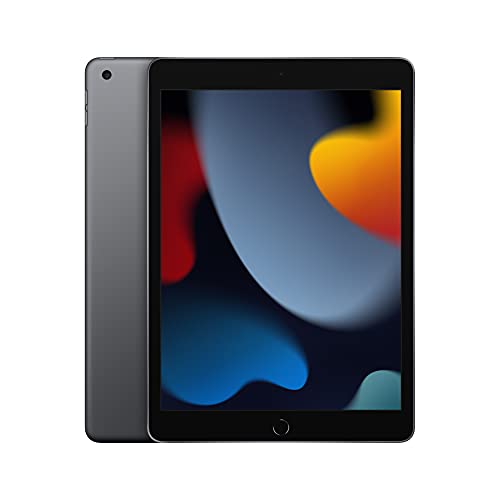
Apple iPad 10.2-inch 64GB Wi-Fi (9th Gen)
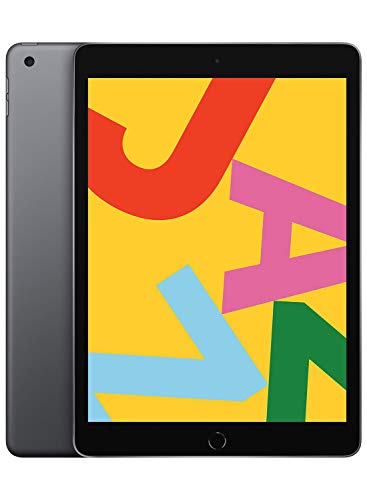
Apple iPad 10.2-inch 32GB (Previous Model)

Apple iPad 9.7-inch 32GB (Previous Model)

Apple iPad Air 11-inch M2 (1TB)
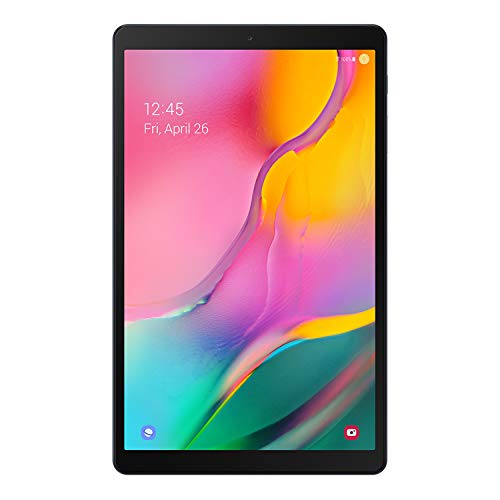
Samsung Galaxy Tab A 10.1 128GB
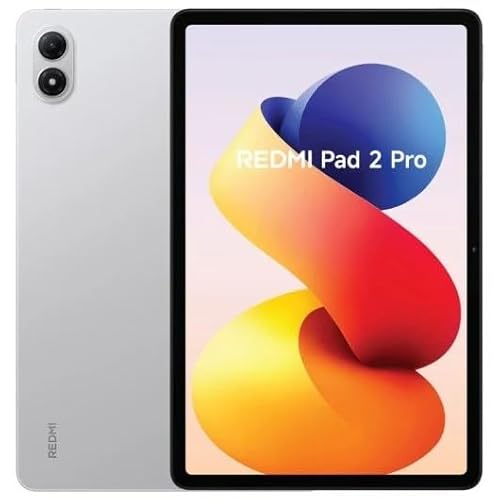
XIAOMI Redmi Pad 2 PRO 12.1-inch 256GB

SVITOO Kids Tablet 10-inch Android 16

Samsung Galaxy Tab S9 FE 10.9-inch 128GB
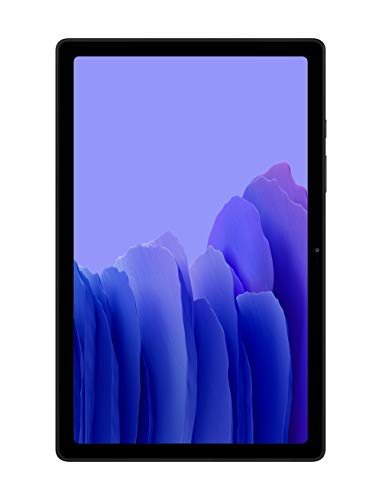
SAMSUNG Galaxy Tab A7 10.4 64GB

Samsung Galaxy Tab A 10.1 32GB (2019)
Meet The Standout Selections
The 9th-generation iPad is the one I keep recommending first because it punches above its tier for reading. The 10.2-inch Retina display is sharp enough that even small text in the Apple Books app stays crisp, and the True Tone feature adjusts the white balance to match the room, which matters during long evening sessions.
Under the hood, the A13 Bionic chip is the same silicon that powered flagship iPhones a few years back, so page turns, scrolling PDFs, and split-screen multitasking all feel quick. It runs iPadOS, which means access to the App Store, where the reading apps (Kindle, Libby, Kobo, Apple Books, ComiXology) tend to get the most polish.
Where It Helps
- App ecosystem: Kindle, Apple Books, Libby, and Kobo all run smoothly, and most support features like dark mode and typography tweaks that make reading more comfortable.
- Display quality: the 10.2-inch Retina screen renders text without the fuzziness I notice on cheaper panels, even at smaller font sizes.
- Smart Connector and Apple Pencil support turn the iPad into a light note-taking and annotation tool for textbooks.
- Touch ID fingerprint sensor keeps the device unlocked without typing a passcode every time I pick it up.
Things To Consider
- At 64GB of base storage, heavy comic or audiobook users may eventually need to lean on cloud libraries or external storage options.
- The non-laminated display sits slightly below the glass, which can cause a faint shadow on bright pages in direct sunlight.
Best Suited To
Daily readers already inside the Apple ecosystem who want a fast, polished reading experience with no fuss.
Where Another Pick Suits Better
The Samsung Galaxy Tab A7 10.4 64GB is a friendlier match for shoppers who prefer Android and want expandable storage for large audiobook or comic libraries.
For anyone whose reading habit is mostly plain ebooks and the occasional article, this older iPad still does the job well. It carries the same 10.2-inch Retina display as the 9th generation, so the actual reading experience feels nearly identical in day-to-day use.
What you give up is processing power. The A10 Fusion chip handles books and PDFs without complaint, but heavy multitasking or large graphic-heavy comics can feel slower than on the A13. Storage is also capped at 32GB, which is fine for text but tight for an audio-heavy library.
Real Benefits
- Lower entry price into iPadOS makes it a smart first tablet for new readers.
- The Retina panel and Touch ID sensor carry over from more expensive models, so core reading comfort is preserved.
- App compatibility: this iPad still runs current versions of most reading apps for now, though long-term software support is shorter than on newer iPads.
Worth Noting
- 32GB fills up quickly with downloaded audiobooks and comics, so expect to manage storage or rely on cloud syncing.
- The older A10 chip can feel sluggish in apps that mix video, animation, and scrolling, which matters for graphic novels.
Made For
Light readers on a strict budget who mostly stick to novels and want iPadOS simplicity.
Skip It When
The Apple iPad 10.2-inch 64GB Wi-Fi (9th Gen) is a better call for anyone planning to read comics, store lots of audiobooks, or keep the tablet for several years.
The 9.7-inch iPad is the smallest of the Apple picks here, and that is genuinely its appeal for reading. It feels closer to a paperback in the hand, which makes one-handed reading on a couch or in transit less of a strain over long sessions.
The 9.7-inch Retina display renders text cleanly, and the A10 Fusion chip keeps the basics moving. It runs iPadOS, so the same wide selection of reading apps applies. The trade-off is that the smaller screen means less room for split-view workflows and slightly tighter margins in PDFs.
Practical Pluses
- Compact form factor: easier to hold one-handed than the 10.2-inch models, especially in bed or on a commute.
- Touch ID sensor keeps signing in and authenticating purchases friction-free.
- Same App Store access as newer iPads, so reading app choice is unaffected.
Room For Improvement
- 32GB is limiting for comics, magazines, and audiobooks, so most users will lean heavily on cloud syncing.
- The A10 chip is older, which can show as stuttering in some third-party reading apps with animated page turns.
Right Fit For
Readers who want the most portable iPad for novels, short articles, and one-handed sessions.
Consider Something Else When
The XIAOMI Redmi Pad 2 PRO 12.1-inch 256GB is worth a look for anyone reading manga, research PDFs, or textbooks where a larger display would help.
The iPad Air with M2 sits well above the other iPads in this list, and the upgrade shows up immediately in the screen. The 11-inch Liquid Retina panel includes P3 wide color, True Tone, and an anti-reflective coating that makes outdoor reading much more comfortable than the standard iPad.
The M2 chip is overkill for most reading apps, but it future-proofs the device for several years of iPadOS updates. With 1TB of storage, you can keep an enormous library of PDFs, comics, and audiobooks locally without juggling cloud space.
Points In Its Favor
- Display quality: P3 color and lower reflectivity make pages look more like paper, especially under bright light.
- Wi-Fi 6E support keeps downloads fast on compatible home networks, which matters for large audiobook batches.
- Apple Pencil Pro and Magic Keyboard support expand this from a reading device into a serious study and work tool.
- 1TB storage: room for full textbook archives, comic collections, and offline video lectures without external storage.
Trade Offs
- Price is the obvious one, so this is only sensible if the budget can stretch well past entry-level iPads.
- The 11-inch screen is excellent but larger and heavier than the 9.7-inch iPad, which affects one-handed comfort.
Who It Suits Best
Readers who want a long-term device, study or work in addition to reading, and care about top-tier display quality.
Not Your Match When
The Apple iPad 10.2-inch 64GB Wi-Fi (9th Gen) handles everyday reading at a much lower cost, and is a better pick for shoppers who do not need the extra storage or processing headroom.
This Galaxy Tab A is the storage champion of the budget Samsung lineup. With 128GB built in plus microSD expansion up to 512GB, it is well suited to readers who keep a large offline library of novels, audiobooks, or PDFs.
The 10.1-inch Full HD display gives text plenty of room to breathe, and the slim metal body keeps weight reasonable for one-handed holding. Dolby Atmos surround sound adds a bit of polish for audiobooks and casual video, which I appreciate on a device I use beyond reading.
Everyday Perks
- 128GB of internal storage is generous at this tier, with microSD support stretching it further.
- 10.1-inch Full HD panel renders novels and web articles clearly, with enough real estate for split-screen reading.
- Lightweight metal design helps the tablet disappear in a bag or a hand for long sessions.
- Up to around 10 hours of battery on a full charge covers most day trips without a charger.
Points To Note
- As a 2019 model, processor performance lags behind newer Samsung and Xiaomi options, especially in heavier apps.
- No S Pen support, so annotation and note-taking are limited to on-screen typing.
Feature Snapshot
Perfect Match For
Android readers who build a big local library and want a comfortable 10-inch screen without a flagship price.
Look Elsewhere When
The Samsung Galaxy Tab S9 FE 10.9-inch 128GB is worth the extra spend for anyone who wants pen input, longer software support, and a more current processor.
The Redmi Pad 2 PRO is the screen I reach for when reading comics or research PDFs. Its 12.1-inch 2.5K display has a 120Hz refresh rate, which makes scrolling through long documents feel noticeably smoother than on cheaper 60Hz panels.
It is a Wi-Fi-only tablet, so no calls or texts come through it. That keeps distractions low during reading sessions, which I consider a feature rather than a limitation. The 12000mAh battery comfortably handles long reading days, and the four-speaker setup is a small bonus for audiobooks.
Strong Points
- 12.1-inch 2.5K display with 120Hz refresh makes text, comics, and PDFs look sharp and scroll smoothly.
- 256GB of storage and microSD support up to 2TB leave room for large offline libraries.
- 12000mAh battery keeps the tablet running through long trips and study days.
- Four-speaker audio setup gives audiobook narration a bit more presence than single or dual-speaker tablets.
Honest Caveats
- The 12.1-inch size is larger than most readers want for casual one-handed use, especially during long reading sessions in bed.
- Wi-Fi only, so mobile hotspot dependence is required when away from home networks.
Who Should Grab It
Manga fans, PDF-heavy students, and anyone who wants the largest, sharpest reading canvas in this price bracket.
Another Choice May Suit
The Apple iPad 10.2-inch 64GB Wi-Fi (9th Gen) is easier to hold for extended sessions and is a better match for readers who prefer a smaller, lighter form factor.
For parents looking to hand a first tablet to a younger reader, the SVITOO Kids Tablet is built around that exact scenario. It runs Android 16 with parental controls baked in, so screen time limits, app approvals, and content filters can be configured before the device ever leaves the box.
The 10-inch form factor is generous for early readers and educational apps, and a protective case is included, which matters when the tablet inevitably takes a few drops. The 20GB of RAM and 32GB of storage handle kids’ apps and downloaded books comfortably for most households.
Noteworthy Benefits
- Parental controls: built-in settings for time limits, content filters, and approved apps reduce setup friction for parents.
- Included protective case adds drop protection out of the box, useful for younger children.
- Android 16 keeps the interface current and supports a wide range of kids’ learning and reading apps.
Points To Keep In Mind
- 32GB of storage fills up quickly with downloaded videos and apps, so a microSD card is recommended for larger libraries.
- Designed for kids, so the hardware is less suited to a teenager or adult who wants a more general-purpose tablet.
Quick Facts
Built With In Mind
Parents introducing a first tablet to a younger child who needs managed screen time and a sturdy build.
Swap It Out When
The SAMSUNG Galaxy Tab A7 10.4 64GB is a more grown-up option once the child is ready for a standard Android tablet with expandable storage.
The Tab S9 FE is the most versatile Android tablet on this list, and the included S Pen is the reason it stands out. For readers who like to highlight passages, mark up PDFs, or sketch alongside their notes, having a pen in the box removes a separate purchase.
The 10.9-inch display is large enough for textbooks and split-screen reading, and the lightweight durable design holds up well to daily commutes. Long battery life, a powerful processor, and expandable storage all combine to make this the Android pick most likely to grow with you over several years.
The Helpful Details
- S Pen included: write, annotate, and sketch without buying an extra accessory.
- 10.9-inch screen with strong brightness is comfortable for reading in a variety of lighting conditions.
- Long battery life supports a full day of reading and note-taking away from a charger.
- Expandable storage handles growing libraries of ebooks, audiobooks, and lecture notes.
Practical Considerations
- Higher cost than the Galaxy Tab A7 10.4, so it stretches the budget further than a simple reading tablet would.
- Lightweight design is durable, but the S Pen attaches magnetically, which means it can detach inside a bag if not stored carefully.
Key Specs
Whose Shelf It Belongs On
Students, researchers, and readers who annotate heavily and want a pen-ready Android tablet with a long service life.
Where A Sibling Pick Shines
The SAMSUNG Galaxy Tab A7 10.4 64GB is a simpler, more affordable choice for readers who do not need a stylus or the extra performance.
The Galaxy Tab A7 is a comfortable middle ground for readers who split their time between ebooks, video, and casual web browsing. Its slim, lightweight metal build feels nicer in the hand than many tablets at this tier, and the slim bezels give the 10.4-inch display more presence.
Dolby Atmos surround sound through the quad speakers is a real bonus for audiobooks and video calls. The landscape-oriented front camera makes video chats feel more natural, and the long-lasting battery covers a full day of mixed reading and streaming.
Notable Gains
- Slim, lightweight metal design feels comfortable for long one-handed or lap-held sessions.
- Dolby Atmos quad speakers add depth to audiobooks, podcasts, and video without headphones.
- 10.4-inch display with slim bezels maximizes reading area without making the tablet bulky.
Soft Spots
- No S Pen support, so handwritten notes and annotations are not part of the package.
- Processor performance is modest, which shows in heavier apps like advanced PDF editors or split-screen multitasking with many open apps.
Who Will Love This
Casual readers who want a well-rounded Android tablet for books, video, and the occasional video call without paying for stylus features.
Reach For A Different Pick When
The Samsung Galaxy Tab S9 FE 10.9-inch 128GB is the better option for anyone planning to annotate PDFs, take handwritten notes, or keep the tablet for several years.
This is the lowest-cost entry point in the lineup, and for a strict budget it still covers the basics well. The 10.1-inch display is full HD, the body is metal, and Dolby Atmos sound gives audiobooks more presence than speakers on many older cheap tablets.
The catch is the 2019-era internals and 32GB of base storage. For light reading habits, that is workable with cloud syncing. For anyone planning to store many files locally, the jump up to the 128GB Galaxy Tab A 10.1 is worth considering.
Features That Help
- Lowest cost in the list, making it a sensible first tablet for cautious budgets.
- 10.1-inch Full HD display renders text clearly for novel-length reading.
- Dolby Atmos sound adds richness to audiobooks without headphones.
Things That May Matter
- 32GB of internal storage is tight for offline libraries, so most users will need to rely on cloud syncing or a microSD card.
- Older processor and software support window, so this tablet is best treated as a short-to-medium-term purchase.
The Right Fit
Strict-budget shoppers who want a recognizable Samsung reading tablet for novels and casual use.
A Better Fit Elsewhere
The Samsung Galaxy Tab A 10.1 128GB is worth the stretch for readers who want more local storage for comics, magazines, and audiobooks.
Reading-Ready Features That Matter On A Budget
Display quality is the single biggest factor for reading comfort. Look for an IPS LCD panel with at least Full HD resolution, which keeps text edges sharp at smaller font sizes. OLED screens look richer with deeper blacks, but they remain rare at this price tier, and a good IPS panel is still easy on the eyes for long sessions.
Weight and balance matter more than shoppers expect. A tablet that feels heavy after thirty minutes of one-handed reading will get left on the shelf. Anything around one pound or under tends to feel comfortable in bed or on a commute, while 12-inch models are better reserved for lap-held or desk use.
Software support determines how long the tablet stays useful. iPads typically receive iPadOS updates for many years, which extends the life of an iPad well beyond its purchase date. Android tablets vary more, with Samsung generally offering longer support than budget brands. A tablet with current software keeps reading apps compatible and secure.
Storage flexibility is essential for heavy readers. Built-in storage fills up fast with comics, audiobooks, and PDFs. A microSD card slot, which most Android tablets in this list include, lets you expand storage cheaply and keeps the tablet usable as your library grows.
Practical Notes Before Choosing
Where Shoppers Go Wrong
The most common slip-up is buying on storage alone without considering the display. A cheap tablet with plenty of storage and a low-resolution screen quickly becomes a regret, because text looks fuzzy and eye strain creeps in. Equally, picking the smallest tablet to save money backfires for readers with PDFs or comics, where a 10-inch screen makes a real difference.
When Paying More Pays Off
A step up in price generally buys three things: a better processor, a sharper or larger display, and longer software support. The iPad Air with M2 and the Galaxy Tab S9 FE are the clearest examples here. The upgrade is worth it for shoppers who plan to keep the tablet for four years or more, who read graphic-heavy content, or who want a device that doubles as a study or work tool.
