

A tablet that handles a six-year-old’s cartoon obsession at breakfast, a tween’s homework app after school, and a teenager’s late-night streaming session needs more than a bright case. I look for a screen that’s gentle on young eyes, a battery that survives a road trip, and software that doesn’t fight you when it’s time to lock things down. The list below gathers ten picks I think cover the realistic range, from kid-focused bundles to general-purpose tablets parents can pass down.
The Main Contenders

Xiaomi Redmi Pad 2 11″ 2.5K Tablet (Graphite Gray, 256GB)

Honor PAD 8 (6GB/128GB)

SAMSUNG Galaxy Tab S6 Lite 10.4″ 64GB WiFi (Oxford Gray)
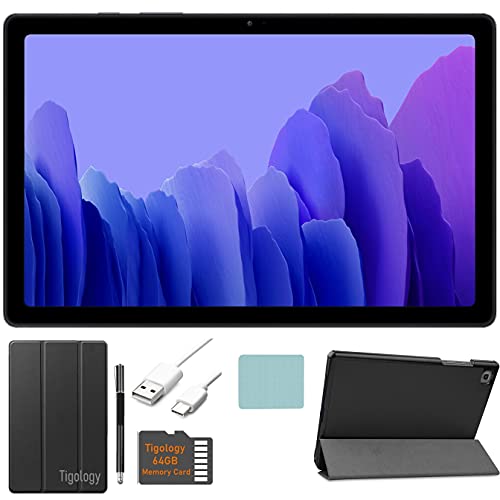
Samsung Galaxy Tab A7 10.4″ Wi-Fi Bundle (64GB, Gray)
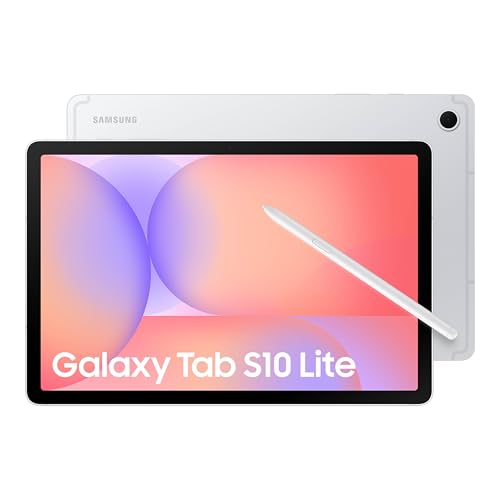
Samsung Galaxy Tab S10 Lite 10.9″ (8GB/256GB, Silver)

SVITOO Kids Tablet 10″ Android 16 (32GB)
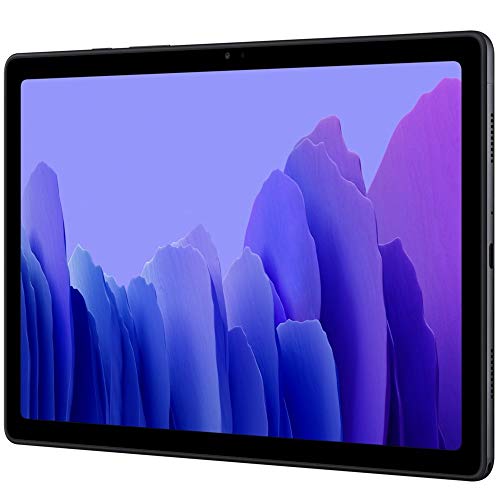
SAMSUNG Galaxy Tab A7 10.4″ 64GB + 64GB microSD (Dark Gray)

Samsung Galaxy Tab S6 Lite 10.4″ WiFi (64GB) S Pen & Cover

GOODTEL 10″ Android Tablet with Keyboard and Mouse

SAMSUNG Galaxy Tab A9+ 11″ 64GB (Graphite) with HEXAccessories
Taking A Closer Look At The Options
The Redmi Pad 2 leans on a sharp 2.5K panel (a display resolution sharper than standard 1080p, sitting between full HD and 4K), and that detail jump is the headline reason it earns a spot. For a household where one tablet gets handed between a fifth-grader doing reading apps and a parent catching up on shows, the pixel density keeps text crisp without scaling headaches.
Four speakers spread across the chassis, a metal unibody (a single-piece aluminum shell), and a 9000mAh battery round out a spec sheet that punches above the asking tier. Bluetooth 5.3 keeps wireless headphones stable, which matters once a kid pairs their own cans. Where this falls short of pricier Samsung picks is software longevity and Samsung’s deeper parental control ecosystem, but for raw hardware value it’s a clear standout.
Positive Takeaways
- 2.5K resolution makes children’s books and educational apps noticeably sharper than typical 1080p screens.
- The 9000mAh battery comfortably handles a long-haul flight or a weekend car ride without a charger hunt.
- Quad speakers mean cartoons and audiobooks fill a kitchen without external speakers.
- 256GB of built-in storage leaves room for downloaded shows, audiobooks, and school files.
- Metal unibody construction feels sturdier than the plastic shells common at this tier.
Things To Consider
- Wi-Fi only, so offline downloads become essential for any car trip or commute away from home networks.
- No included case or screen protector, so adding a kid-proof shell is a near-mandatory add-on.
- Manufacturer parental controls are lighter than Samsung Kids or Google Family Link setups, so most households lean on third-party apps.
Who It Suits Best
Older kids and teens who stream, read, and study on the same device get the most out of this panel and battery combo.
Consider Something Else When
Parents of a three-to-five-year-old who want a pre-installed kid mode should look at the SVITOO Kids Tablet instead.
The Honor PAD 8 swings toward the media-first side of the family, mostly because of its roomy 12-inch display. Watching a movie together on the couch, sharing a comic book on a plane tray, or following along with a recipe app all benefit from the extra screen real estate. The thin-and-light body makes that size manageable for small hands, depending on the age.
The 6GB of RAM (short for random-access memory, the working memory that keeps apps running smoothly) keeps app switching snappy, and 128GB of storage handles a respectable offline library. The honest read here is that this is a general-purpose tablet that doesn’t ship with kid-focused parental controls, so parents who want a locked-down kids mode will need to set up Google’s tools. For a household that treats the tablet like shared family media hardware, it’s a comfortable fit.
Features That Help
- 12-inch display makes split-screen homework and video calls feel less cramped.
- 128GB of internal storage swallows a healthy offline video and audiobook library.
- Slim build helps younger users hold the tablet during long reading sessions.
Worth Noting
- No dedicated kids interface or pre-installed parental dashboard means setup takes extra effort.
- Large format may feel unwieldy for a child under six to carry single-handed.
- Listing imagery is sparse, so checking current specs on the product page before buying is wise.
Made For
Families who mainly share one tablet for streaming and reading and want a screen big enough for two pairs of eyes.
Look Elsewhere When
Anyone needing a stylus for schoolwork should consider the SAMSUNG Galaxy Tab S6 Lite (Oxford Gray) for the bundled S Pen.
The S6 Lite has long been the go-to for school-aged children who sketch, annotate, and type. The included S Pen is pressure-sensitive and never needs charging, which removes one of the small frustrations that sinks lesser styluses. A 10.4-inch display sits in a comfortable middle ground: big enough for split-screen homework apps, small enough for a backpack.
Samsung’s One UI (the company’s custom Android skin) brings Samsung Kids, a parental dashboard with curated apps and time controls that parents can adjust on the fly. Battery life lands in the all-day range, which keeps it out of the charger at homework time. The trade-off is older internal silicon compared with the newer Tab A9+ on this list, so heavier games will show their age. For drawing, writing, and study apps, though, it stays steady.
Real-World Strengths
- Included S Pen turns the tablet into a sketchbook, math helper, and PDF annotator without buying extras.
- Samsung Kids provides a walled-garden mode for younger users that parents can exit with a PIN.
- Slim metal body keeps the tablet light enough for daily backpack duty.
Trade Offs
- Processor is a step behind the newer Galaxy Tab A9+ for fast-paced gaming.
- Charging speed is modest, so a quick top-up before school won’t go as far as some rivals.
Quick Facts
Best Suited To
School-aged kids who draw, take notes by hand, or annotate readings benefit most from the bundled stylus.
A Better Fit Elsewhere
Households wanting the latest Samsung hardware and a bundled cover should look at the Samsung Galaxy Tab S6 Lite with S Pen & Cover instead.
The Galaxy Tab A7 bundle is aimed at first-time tablet households that want a friendly price and everything in one box. The 10.4-inch display, Dolby Atmos speakers (a surround-sound tuning standard that processes audio for a wider, room-filling effect), and Snapdragon 662 chipset cover the basics without fuss. Tigology accessories in the bundle give parents a head start on cases and screen protection.
For most families this is a streaming, video-call, and light gaming tablet that handles shared use without drama. The 3GB of RAM is the practical limit: heavy multitasking will show stutters when many tabs pile up in Chrome. If the household usage skews toward single-app sessions and family movie nights, it stays comfortable. Owners commonly find that the included accessories simplify the first week of ownership, sparing parents a separate shopping trip.
What Pays Off
- Accessories bundle cuts down on extras to buy, useful for gifting situations.
- Dolby Atmos tuning lifts dialogue and music over built-in speakers.
- Samsung’s software ecosystem, including Samsung Kids, is mature and well documented.
Small Caveats
- 3GB of RAM limits heavy multitasking with many browser tabs.
- Released on the older side, so future Android version support windows will be shorter than newer picks.
Perfect Match For
Families buying a first shared tablet for casual streaming, video calls, and elementary-school homework find a friendly entry point here.
Skip It When
Anyone wanting stylus support should consider the Samsung Galaxy Tab S6 Lite (Oxford Gray) instead.
The Tab S10 Lite is the newer-tier option for households that watch a lot of video on the go. Its 10.9-inch LCD (a liquid-crystal display, the standard flat-panel screen tech used in most tablets) sits between the smaller Tab A series and the larger Tab S tablets, and Vision Booster-style brightness adjustment helps outdoor reading at the park or in the car. Battery life leans toward the longer end of this list, which is exactly what travel days demand.
With 8GB of RAM, app switching between a homework app, a browser, and a video call stays smooth. Storage tops out at 256GB internally with room to expand up to 2TB via microSD. The trade-off shows up in the price tier, so this one leans toward families replacing an aging tablet rather than first-time shoppers. For a teen or tween’s main device, the longevity matters.
Why It Works Well
- Long-rated battery handles full-day trips without reaching for a charger.
- 256GB built-in plus microSD expansion covers a serious offline library.
- 8GB of RAM keeps split-screen multitasking between homework and video calls stable.
Points To Keep In Mind
- Priced above most kids-focused picks, so the value case depends on multi-year use.
- No stylus in the box, unlike the S6 Lite options on this list.
Feature Snapshot
Who Will Love This
Older kids and teens who treat a tablet like a primary device for schoolwork, streaming, and reading will appreciate the headroom.
Another Choice May Suit
Younger children in a household that wants a kid-tuned experience should look at the SVITOO Kids Tablet with its included protective case.
Among all the picks here, the SVITOO is the only one designed from the box with a younger child in mind. It runs Android 16 with parental controls built into the experience, ships with a protective case, and arrives in a gift-ready box that makes it practical for birthdays or holidays. The included case is one of those small touches that spares parents an extra shopping trip after the unwrap.
The 10-inch display is a comfortable size for cartoons, learning apps, and read-aloud sessions, while 32GB of storage leaves room for downloaded videos. The honest read: this isn’t a powerhouse for high-end games, and it’s not meant to be. It’s tuned for the three-to-seven age range where drops and snack-handling are daily realities, so durability and parental controls matter more than benchmark speed. Treat it as a learning tool first.
The Helpful Details
- Protective case included, saving parents the immediate hunt for a kid-proof shell.
- Android 16 with built-in parental controls simplifies time limits and app approvals.
- Gift-ready packaging makes it practical for birthdays without extra wrapping.
Honest Caveats
- 32GB fills up quickly once a few educational apps and downloaded videos are installed.
- Not designed for resource-heavy games, so older siblings may find it limiting.
Who Should Grab It
Parents shopping for a child in the preschool or early-elementary age range get the most value from the bundled case and parental controls.
Reach For A Different Pick When
Older kids who want stylus drawing and note-taking should consider the SAMSUNG Galaxy Tab S6 Lite (Oxford Gray) with its included S Pen.
Same Galaxy Tab A7 hardware, but this listing throws in a 64GB microSD card right out of the box. For households that lean on offline media, that extra storage changes the experience: a season of downloaded cartoons for a flight, a stack of audiobooks for a road trip, and school files all fit without juggling. The tablet itself delivers the same 10.4-inch display and Dolby Atmos-tuned speakers as the bundle option above.
The added microSD mostly solves the storage ceiling that holds back the smaller-storage siblings. Most families find this format especially helpful when the tablet is shared between siblings and each child has their own downloaded library. The dark gray finish also hides smudges and minor scuffs better than lighter colors, which matters over months of use.
The Upside
- 64GB microSD bundled in the box, expanding total storage to 128GB out of the package.
- Dolby Atmos speakers stay tuned well for cartoons and family video calls.
- Dark gray finish tends to hide minor smudges and scuffs from daily handling.
Points To Note
- MicroSD cards move data more slowly than built-in storage, so app loading from the card can lag.
- Like the A7 bundle, the 3GB RAM limit shows under heavy multitasking.
The Right Fit
Families that download lots of videos or audiobooks for offline use, especially during travel, get the most out of the included storage.
Swap It Out When
Anyone wanting a stylus-driven setup should consider the Samsung Galaxy Tab S6 Lite with S Pen & Cover instead.
This version of the Tab S6 Lite adds a cover into the bundle, alongside the S Pen that’s standard for the line. For a school-aged child carrying the tablet between classes, the cover is a meaningful addition: it props the screen up for typing or watching without a separate stand, and it protects the screen during backpack duty. Combined with the S Pen, the bundle covers most school needs out of the box.
The Exynos 9610 (Samsung’s in-house mobile processor) and 4GB of RAM keep the experience steady for note-taking, drawing, and video calls. A 5MP front camera handles class video calls and family catch-ups without drama. The honest trade-off: this is still the older internal silicon compared with the Galaxy Tab A9+, so heavy multitasking shows its age. For school-first use, it remains a solid pick.
The Good Stuff
- Cover included in the bundle protects the screen and props it up for video calls.
- S Pen is always ready without pairing or charging, perfect for quick notes.
- 4GB RAM gives more headroom than the Tab A7 for school multitasking.
A Few Limitations
- Cover is usually a basic folio, not a rugged kid-proof case, so drops on tile floors remain a risk.
- Released on the older side, so software update windows are shorter than the Tab A9+.
Key Attributes
Whose Shelf It Belongs On
School-aged kids who carry the tablet daily between home and class benefit most from the cover plus stylus combination.
Where A Sibling Pick Shines
Anyone wanting newer internals and a bundled accessory kit should consider the SAMSUNG Galaxy Tab A9+ with HEXAccessories.
GOODTEL’s 10-inch tablet takes a workstation angle that few others on this list do, bundling a keyboard and mouse for typing-heavy homework. The 1280×800 IPS panel (an in-plane switching display, known for wider viewing angles than older TFT screens) is a modest resolution, but the bundled peripherals turn it into a small laptop replacement for essays, research, and basic spreadsheets. Widevine L1 support (the digital-rights license level that allows HD streaming from services like Netflix and Disney+) means streaming apps play in full quality rather than downgraded SD.
Wi-Fi 6 (the latest Wi-Fi standard, offering faster and more stable connections on compatible routers) and Bluetooth 5.0 keep wireless accessories stable, and the 6000mAh battery covers a school day. The included case adds drop protection, which is meaningful for a keyboard-equipped setup that travels in a backpack. The honest read is that this is more of an entry-level productivity tablet than a premium media machine, but for typing-first households that ratio is exactly right.
What Helps Most
- Keyboard and mouse included, turning the tablet into a typing-first mini workstation.
- Widevine L1 enables HD playback from major streaming services.
- Case in the box adds daily drop protection right away.
Where It May Fall Short
- 1280×800 resolution is lower than the 2K screens elsewhere on this list.
- Internal storage is modest, so downloading large media libraries will lean on the microSD slot.
Core Details
Built With In Mind
Older students and tweens who type essays and research papers benefit most from the keyboard and mouse bundle.
Not Your Match When
Households that prioritize screen quality for streaming should look at the Xiaomi Redmi Pad 2 with its sharper 2.5K panel.
The Galaxy Tab A9+ is the most modern pick in this lineup, and the listing bundles it with HEXAccessories to round out a family-ready package. The 11-inch screen hits a comfortable middle ground for shared viewing, and four speakers keep dialogue clear without headphones. Multi Window Display (Samsung’s split-screen mode that runs two apps side by side) is genuinely useful when a kid needs a video lesson on one half and a notes app on the other.
The upgraded chipset over the older Tab A7 means faster app launches and smoother switching between school apps. The graphite finish hides daily wear, and the slim build makes it easy to slip into a backpack. The honest trade-off is that the bundled accessories vary by listing, so checking what’s in the box before checkout matters. For a shared household tablet, the A9+ lands in a sweet spot between price, screen size, and modern Samsung software support.
The Value In It
- Quad speakers deliver clear audio for shared family viewing.
- Multi Window Display splits two apps for homework and video calls.
- Newer chipset keeps the tablet responsive for longer software support.
Some Limits To Know
- Bundled HEXAccessories vary by listing, so confirming contents before checkout matters.
- No stylus support, unlike the S6 Lite options on this list.
The Numbers That Matter
Not Your Match When
Anyone wanting a stylus for handwriting or drawing should consider the Samsung Galaxy Tab S6 Lite with S Pen & Cover instead.
Right Fit For
Families wanting a shared family tablet with modern Samsung software support get the best mix here.
What Matters Most Before Choosing Android Tablets For Kids
Parental Controls and Kid Modes
Built-in kid modes, like Samsung Kids, save setup time and offer curated content. Third-party parental control apps add flexibility but require more configuration. Younger children benefit most from a sealed environment; older kids can tolerate more open setups with time limits.
Screen Size and Durability
A 10-inch screen is the family-tablet sweet spot, large enough for streaming, small enough for a backpack. Smaller 8-inch tablets suit tiny hands; 12-inch panels like the Honor PAD 8 shine for shared viewing but get unwieldy fast. A protective case is non-negotiable for any child under ten, since drops are a daily reality.
Storage and Connectivity
Offline downloads for travel and a microSD slot for expanding storage make life easier. Wi-Fi only is fine for home use, but cellular models free tablets from hotspot tethering on long trips. Eight hours of rated battery is the practical floor for school days and car rides without a charger.
Picking The Right Tablet Across These Options
Pitfalls Shoppers Hit
Buying a tablet with no included case is the most common oversight, since a kid-proof shell usually costs extra. Skipping the parental-control setup before handing the tablet over is another easy trap. Parents often forget to check the storage ceiling, which fills up fast with downloaded videos for travel.
What The Higher Tier Buys
Spending more usually buys a sharper display, more RAM for multitasking, and longer software support windows. The Galaxy Tab S10 Lite, for example, brings an 8GB RAM buffer and longer battery life that older picks can’t match. For a shared family tablet lasting three or four years, the upgrade pays off. For a younger child’s first tablet, a mid-tier option covers the essentials without overspending.
Frequently Asked Questions
What age is appropriate for a kid’s tablet?
Most children start using a tablet around ages 2 to 3 for short, supervised sessions, with independent use growing from ages 6 to 7. A simple, drop-resistant model suits the earliest years, while older kids handle general-purpose tablets.
How much storage does a kid’s tablet need?
32GB is the practical minimum for younger kids who mainly stream and use a handful of apps. 64GB or more makes sense for households that download videos, audiobooks, or school files for offline use.
Are Wi-Fi only tablets enough for kids?
Wi-Fi only works well for home, school, and any place with a known network. For road trips, flights, or commutes, downloading content ahead of time or tethering to a phone hotspot covers most needs.
Do kids need a stylus on their tablet?
A stylus helps with handwriting practice, drawing, and annotating school readings. For casual streaming and games, finger input is enough, which is why stylus support matters most for school-aged children.
How long does a kid’s tablet typically last?
Three to four years is realistic for budget and mid-range picks, especially with a case and careful handling. Higher-tier tablets with newer chipsets often pick up software support for longer, extending their useful life.
Final Verdict
A tablet for kids lives or dies by how well it handles drops, downloads, and daily hand-offs. Match the size to the user, confirm the case situation, and lean on parental controls from day one. The right pick here is whichever one fits your child’s age and your household’s pattern of use, not the priciest box on the list.
