

I remember my first tablet, an older iPad that mostly streamed shows and held digital cookbooks. The category has matured since then, and these days a smart shopper can land genuine capability without a flagship invoice. This roundup focuses on tablets that earn their space through a balanced mix of display quality, battery life, and app support.
Some lean older but still capable, others bring newer specs at lower tiers. I weighed each against everyday needs: streaming, browsing, video calls, light schoolwork, reading, and casual creativity. You’ll find a mix of brand-new units and renewed options, plus a kid-focused pick that bundles useful safeguards for parents.
The Choices Worth Comparing

Xiaomi Redmi Pad 2 Wi-Fi 11″ 2.5K (Graphite Gray)
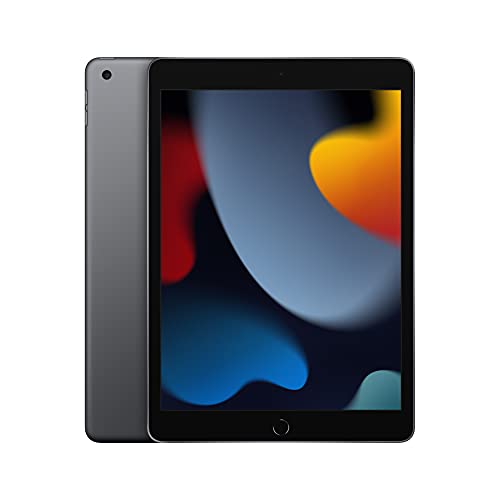
Apple iPad (9th Generation) 10.2-inch Wi-Fi 64GB
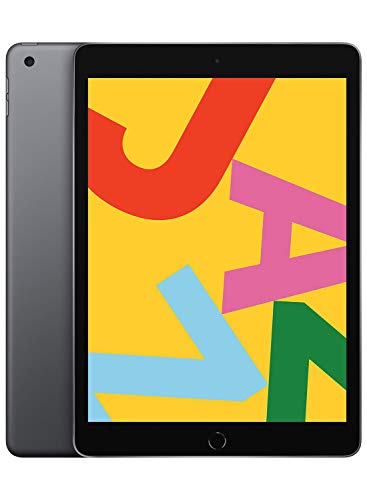
Apple iPad 10.2-inch Wi-Fi 32GB (Space Gray)

Apple iPad 9.7-inch Wi-Fi 32GB (Gold)

Apple iPad Air 11-inch M2 128GB (Blue)
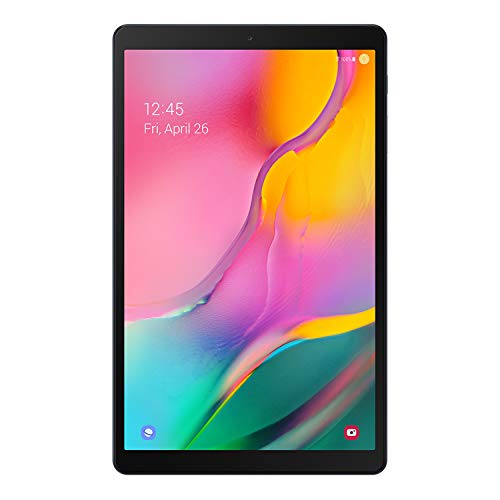
Samsung Galaxy Tab A 10.1 128GB Wi-Fi (Silver)

Samsung Galaxy Tab A 10.1 128GB Wi-Fi Black (Renewed)

SVITOO Kids Tablet 10″ Android 16, 32GB

Samsung Galaxy Tab S9 FE 10.9″ 128GB Wi-Fi (Gray)

Samsung Galaxy Tab A 10.1 32GB Wi-Fi (Black)
More Details On Our Top Picks
The Xiaomi Redmi Pad 2 stands out in this price tier because it brings an 11-inch 2.5K display, which is the kind of resolution you usually see on pricier Android tablets. For anyone who watches a lot of streaming content or reads long articles, that extra pixel density is genuinely noticeable compared to a standard Full HD panel. The metal unibody build gives it a sturdier feel in hand than many plastic-bodied competitors, and at 256GB of internal storage plus 8GB of RAM, multitasking between a browser and a streaming app feels smooth.
It’s a Wi-Fi-only device, so shoppers who need on-the-go connectivity through a cellular plan should look elsewhere. For everyone else, this lands in the sweet spot between the older iPads and the basic Galaxy Tab A models, offering more screen real estate than the 10.2-inch iPad while staying approachable. The included Graphite Gray finish is understated and doesn’t pick up fingerprints as obviously as glossier shells.
Benefits That Matter
- 2.5K resolution at 11 inches makes streaming and reading noticeably sharper than typical Full HD tablets.
- Quad speaker setup delivers fuller sound for shows, music, and casual gaming without headphones.
- 256GB of internal storage leaves room for downloaded shows and reading material.
- 9000mAh battery comfortably covers a long-haul flight or a full work-from-home day.
- Metal unibody construction feels more durable than the plastic shells common in this tier.
- Bluetooth 5.3 support means quicker pairing and steadier connections with modern earbuds.
Points To Keep In Mind
- No SIM slot, so cellular data is off the table entirely.
- The eight-megapixel camera is fine for video calls but won’t replace a phone camera.
Key Product Details
Made For
Streamers, students, and casual readers who want a sharper display and don’t need cellular connectivity.
Consider Something Else When
The Apple iPad Air 11-inch M2 is a better match for creative professionals who need Apple Pencil Pro support and a stronger app ecosystem.
The 9th-generation iPad remains a quietly powerful option in the value tier because of its A13 Bionic chip, which still handles modern apps without strain. The 10.2-inch Retina display pairs nicely with Apple’s True Tone (a feature that adjusts color temperature to ambient lighting) for comfortable reading and video calls. The 12-megapixel Ultra Wide front camera supports Center Stage, Apple’s auto-framing feature that follows you as you move during calls, a small but real quality-of-life upgrade over older iPad front cameras.
At 64GB of base storage, this sits in a more practical spot than the 32GB iPads that came before it, though heavy downloaders may still want to consider cloud storage. Compared to the Xiaomi Redmi Pad 2 above, this trades screen size and resolution for a tighter app ecosystem and longer software support window. All-day battery life holds up to its name for typical mixed use.
What Helps Most
- A13 Bionic chip still runs current apps smoothly and supports iPadOS updates.
- 12-megapixel Ultra Wide front camera with Center Stage improves video calls.
- 64GB base storage doubles the capacity of the older 32GB iPad models.
Trade Offs
- The 10.2-inch screen is smaller and lower resolution than the Xiaomi Redmi Pad 2’s 2.5K panel.
- Lightning connector instead of USB-C means older cables for accessories.
- No Apple Pencil Pro support, limiting it to the first-generation Pencil.
Best Suited To
Anyone committed to the Apple ecosystem who wants a reliable, familiar iPad experience at a lower entry point.
A Better Fit Elsewhere
The Samsung Galaxy Tab S9 FE is a stronger choice for Android-leaning shoppers who want a stylus included in the box.
This earlier 10.2-inch iPad, often labeled as a previous-generation model, uses the A10 Fusion chip, which is now a few generations behind current flagships. For the basics, web browsing, email, streaming, and light app use, it still holds up reasonably well, especially for households where the tablet lives on a kitchen counter or in a child’s room. Touch ID keeps unlocking fast and secure, and the 10.2-inch Retina display remains a comfortable size for reading and video.
The 32GB storage ceiling is the main trade-off here. Anyone downloading a lot of games, large photo libraries, or offline video will bump against that limit fairly quickly. This iPad makes the most sense as a secondary household tablet or a starter device for younger students, rather than a primary creative tool.
Everyday Advantages
- 10.2-inch Retina screen is comfortable for reading and video.
- Touch ID offers fast, secure unlocking.
- Lower entry price into the iPadOS ecosystem.
Honest Caveats
- A10 Fusion chip shows its age with heavy multitasking or newer games.
- 32GB fills up fast with downloaded media.
- Lightning connector feels dated next to USB-C tablets in this range.
Who It Suits Best
First-time iPad owners or households that need a basic tablet for streaming, reading, and light browsing.
Skip It When
The Apple iPad (9th Generation) makes more sense for shoppers willing to spend a bit more for the A13 chip and 64GB storage.
This classic 9.7-inch iPad carries the same A10 Fusion chip as the slightly newer 10.2-inch model, just in a smaller shell. The Gold finish is a nice change from the more common Space Gray options if aesthetics matter in your household. It supports the first-generation Apple Pencil and Smart Keyboard, which adds versatility for note-taking and light typing without buying newer accessories.
Where it falls behind the 10.2-inch iPad above is screen real estate and a slightly older camera setup. The 1.2-megapixel front camera is functional for FaceTime but won’t impress on video calls. For shoppers who prioritize portability over display size, this remains a sensible pick.
Features That Help
- 9.7-inch form factor is comfortable to hold one-handed for reading.
- First-generation Apple Pencil support expands creative use cases.
- Gold finish stands out visually from typical gray tablets.
Worth Bearing In Mind
- 1.2-megapixel front camera is a noticeable downgrade for video calls.
- Smaller screen than the 10.2-inch iPad in this lineup.
- 32GB storage may feel restrictive for media-heavy households.
The Right Fit
Readers and casual users who prefer a smaller, lighter tablet and don’t mind an older camera.
Another Choice May Suit
The Samsung Galaxy Tab A 10.1 128GB is worth a look for shoppers who want more storage and a larger screen without leaving this budget tier.
The iPad Air with the M2 chip sits at the higher end of this list, but its inclusion matters because it shows what “budget tablet” can mean for someone willing to stretch. The M2 chip handles demanding creative apps like Procreate and LumaFusion without breaking a sweat, and the 11-inch Liquid Retina display supports P3 wide color (a color gamut covering more of the visible spectrum than standard displays) for more accurate photo and video work. Wi-Fi 6E (the newest Wi-Fi standard with faster speeds and less congestion) future-proofs your wireless connection for years.
For shoppers who mostly browse and stream, this is overkill, and the 9th-generation iPad covers that ground more economically. But for students, freelancers, and side-hustle creators, the extra headroom translates into a tablet that won’t feel dated in a year or two. Apple Pencil Pro support also opens up the latest pressure and tilt features.
Useful Highlights
- M2 chip handles creative apps and multitasking without slowdown.
- 11-inch Liquid Retina display with P3 color and True Tone for accurate visuals.
- 128GB base storage is generous for a creative workflow.
- Apple Pencil Pro compatibility for advanced drawing and note-taking.
Less-Strong Areas
- Costs considerably more than the entry iPad models in this roundup.
- Accessories like Pencil Pro and Magic Keyboard add to the total.
Feature Snapshot
Whose Shelf It Belongs On
Creative professionals, design students, and freelancers who want flagship-class performance in a portable tablet.
Look Elsewhere When
The Xiaomi Redmi Pad 2 is a smarter pick for shoppers who primarily stream and browse and want a sharper screen for less money.
The 2019 Galaxy Tab A 10.1 continues to earn space in this roundup because the fundamentals still work. The 10.1-inch Full HD display sits in a sweet spot for movies and shows, and the slim bezels keep the overall footprint manageable. The 128GB of internal storage gives plenty of room for downloaded episodes, and the microSD slot lets you expand up to 512GB if you need more. Dolby Atmos surround sound through the built-in speakers is a genuine plus for immersive viewing without headphones.
Battery life is rated for around ten hours of mixed use, which holds up for most households. It’s an older model, so the processor won’t impress power users, but for streaming, browsing, and reading, it remains a competent family tablet. The Silver finish resists visible smudges better than darker tablets.
The Upside
- 128GB internal storage plus microSD expansion up to 512GB.
- Dolby Atmos support adds depth to the built-in speaker setup.
- 10.1-inch Full HD display in a slim-bezel design.
- Lightweight metal construction for comfortable handheld use.
Things To Weigh Up
- The 2019 chipset shows its age with newer games and heavy multitasking.
- Android update support is more limited than newer Samsung models.
Perfect Match For
Families who need a shared tablet for streaming, light gaming, and reading around the house.
Swap It Out When
The Samsung Galaxy Tab S9 FE is worth the stretch for shoppers who want stylus support and longer software longevity.
This is essentially the same Galaxy Tab A 10.1 reviewed above, offered through the Amazon Renewed program, which means it has been inspected, tested, and cleaned by a qualified supplier. For shoppers comfortable with refurbished electronics, the savings can be significant, and the tablet itself remains a competent household workhorse. The 128GB storage and Full HD display match the standard model.
The honest trade-off here is that renewed units may show minor cosmetic wear, and accessories like chargers may be generic rather than original. Battery health on refurbished units can also vary, though the supplier should ensure it meets a working threshold. For a kitchen counter tablet or a child’s room device, that uncertainty is easier to absorb than for a primary work machine.
Useful Touches
- Lower entry price than a brand-new equivalent.
- Same 128GB storage and Full HD display as the new unit.
- Inspected and cleaned through the renewed program.
Where It May Fall Short
- Minor cosmetic wear is possible since the unit is refurbished.
- Accessories may not be original manufacturer-branded.
- Battery longevity may not match a brand-new unit out of the box.
Who Should Grab It
Cost-conscious households that want a competent family tablet without paying full retail.
Where A Sibling Pick Shines
The brand-new Samsung Galaxy Tab A 10.1 128GB Silver is a better call for shoppers who want the assurance of original packaging and untouched battery health.
The SVITOO Kids Tablet takes a different approach by bundling parental controls and a protective case into the box, which solves two real problems parents face. The Android 16 operating system brings modern customization options, and the built-in parental control suite lets caregivers manage screen time, app access, and content filters without third-party subscriptions. The included gift-ready box also makes this a practical gift option for birthdays or holidays.
The 10-inch form factor lands in the same general size category as the iPad and Galaxy Tab A models above, though the hardware is tuned for casual use rather than performance-heavy tasks. For younger kids who mostly play learning games and watch approved videos, that’s a sensible match. The protective case is genuinely useful for drops, which owners of tablets in this category commonly encounter.
Real Benefits
- Parental controls are built into the operating system, no separate app required.
- Protective case included in the box, ready for kid-level wear and tear.
- Gift-ready packaging simplifies birthday and holiday purchases.
Some Limits To Know
- Android 16 is newer than older versions, but app optimization for kids’ tablets varies by brand.
- 32GB storage fills quickly with downloaded games and videos.
- Adults using this as a primary tablet will find it underpowered.
Right Fit For
Parents of younger children who want screen-time controls and a durable case without buying accessories separately.
Reach For A Different Pick When
The Apple iPad (9th Generation) is a stronger long-term value for older kids and teens who need a wider app library.
The Galaxy Tab S9 FE is the most modern tablet in this roundup, and it shows. The 10.9-inch display gives more room than the 10.1-inch Tab A models, and Samsung includes the S Pen in the box, which is a real differentiator since most tablet makers charge extra for a stylus. The lightweight, durable design and expandable storage also push this beyond the basics. The 8-megapixel camera handles video calls adequately.
It’s a step up from the Galaxy Tab A 10.1 reviewed earlier, both in display quality and in chipset capability. Where it shines is for note-taking, sketching, and PDF markup, making it a strong fit for students and creative hobbyists. Compared to the iPad Air M2, the S Pen comes included rather than as a separate accessory purchase, which can offset the price difference depending on the shopper.
Why It Works Well
- S Pen is included in the box, no extra purchase required.
- 10.9-inch display gives more room than the older 10.1-inch Tab A models.
- Expandable storage adds flexibility for growing media libraries.
- Durable, lightweight construction makes it commute-friendly.
Practical Considerations
- The “FE” chipset is a step below Samsung’s flagship S series, so high-end creative apps may push its limits.
- Costs more than the Galaxy Tab A 10.1 models in this list.
Core Details
Who Will Love This
Students, journalers, and creative hobbyists who want a stylus-ready tablet without paying flagship prices.
Not Your Match When
The Apple iPad Air 11-inch M2 is a stronger fit for professional creators who need the most powerful chip available in this size class.
This is the most modest storage option in the Galaxy Tab A 10.1 family, with 32GB of internal space paired with the same Full HD display and Dolby Atmos audio as the 128GB model. For households that primarily stream rather than download, that storage cap is less of a constraint. The Black finish hides smudges reasonably well and looks at home on a kitchen counter or office desk.
The honest read is that the 32GB version exists for shoppers who want to spend less upfront and don’t plan to load up the tablet with large files. MicroSD expansion up to 512GB remains available, so storage pressure can be eased later with an inexpensive card. For anyone who anticipates heavy media downloads, the 128GB sibling reviewed earlier is a smarter call.
Strengths Worth Knowing
- Same Full HD display and Dolby Atmos as higher-storage siblings.
- MicroSD expansion up to 512GB eases storage pressure.
- Lower entry price for households on a tighter budget.
Points To Note
- 32GB internal storage fills quickly with offline video.
- The 2019 chipset is several generations behind current flagships.
- Android update support is more limited than newer Samsung tablets.
Built With In Mind
Shoppers who mainly stream and browse and don’t want to pay for storage they won’t use.
Where Another Pick Suits Better
The Xiaomi Redmi Pad 2 is a stronger choice for shoppers who want a sharper 2.5K display and more internal storage at a similar price.
What To Weigh Before Choosing a Budget Tablet
Budget tablets vary more than their prices suggest, so a few attributes deserve attention before committing. Display quality is the first, since a dim or low-resolution panel makes reading and streaming noticeably less pleasant. Look for at least Full HD resolution on screens 10 inches and larger, and check whether the manufacturer lists any low-blue-light or eye-comfort certification for long reading sessions.
Performance comes next, and this is where older generations can quietly disappoint. A chip that’s two or three generations behind will still handle basics, but heavier apps, multitasking, and future iPadOS or Android updates can expose the limits. Battery life ratings of around ten hours tend to hold up in mixed use, though heavy streaming or gaming drains faster.
Storage deserves a separate look because it locks in your options. 32GB fills up quickly with offline shows and large games, so 64GB or more is the practical minimum for most households. A microSD slot on Android tablets adds welcome flexibility, while iPads rely on internal storage and cloud options.
Connectivity matters too. Wi-Fi-only models cover home and office use, while cellular tablets cost more but offer on-the-go flexibility. For shoppers who mostly use the tablet around the house or at school, Wi-Fi is plenty, and that savings can fund a better screen or more storage instead.
Key Considerations Across These Picks
Where Shoppers Go Wrong
The most common slip-up is buying on storage alone and ignoring the chip. A tablet with 128GB of space but an underpowered processor will feel sluggish within months as apps grow larger. The other frequent mistake is overlooking update support, since older Android tablets stop receiving major OS updates sooner, which can affect app compatibility and security over time. Finally, don’t skip the accessories check, since a missing stylus, keyboard, or case can quietly double the real cost of a tablet you thought was a bargain.
What Separates Premium From Basic
The jump from budget to premium in this category usually means a sharper display, a more modern chipset, and longer software support. The iPad Air M2 and Galaxy Tab S9 FE in this roundup show what that looks like, and for general household use the difference may not justify the stretch. For students, freelancers, or anyone using the tablet for creative work, the upgrade tends to pay off through smoother app performance and features like stylus support or better color accuracy on the display.
Frequently Asked Questions
How long do budget tablets typically last?
Most budget tablets remain functional for everyday tasks for three to four years, though the chipset may start to feel slow as apps grow more demanding. Software update support varies by manufacturer, and that often determines how long the tablet stays compatible with newer apps.
Is 32GB of storage enough for a tablet?
For shoppers who mainly stream and browse, 32GB can work if you lean on cloud storage and don’t download much offline media. Households that want offline videos, large games, or local photo libraries will hit that ceiling quickly and should look at 64GB or more.
Are renewed tablets worth considering?
Renewed tablets can offer meaningful savings for shoppers who don’t need a brand-new device. The trade-off is potential cosmetic wear and shorter long-term support, so they’re best suited for secondary household tablets rather than primary work machines.
Do budget tablets support styluses?
Some do, but not all. The Galaxy Tab S9 FE in this list includes an S Pen, and older iPads support the first-generation Apple Pencil. Many budget Android tablets don’t include stylus support, so check the specifications if note-taking matters.
Should I get Wi-Fi or cellular?
For tablets used mainly at home, school, or the office, Wi-Fi-only is usually enough and saves money. Cellular models make sense for frequent travelers, commuters, or anyone who regularly uses a tablet away from a Wi-Fi network.
Closing Remarks
The right budget tablet depends less on brand and more on how you actually use it. Streamers and readers get the most from sharper displays and ample battery, while students and creatives benefit from stylus support and stronger chipsets. Pick the profile that matches yours, and the rest of the choice usually falls into place.
