After a shutdown, non-volatile flash memory still holds your apps, photos, videos, downloads, and system files. RAM is separate working memory for tasks already open. Spec sheets place both under “memory,” but each number affects a different part of your phone’s daily behavior.
Your next choice comes down to capacity, speed, and usage habits. This explanation helps you spot the source of app reloads, full-space alerts, and confusing RAM or ROM labels.
Phone Memory Labels Describe Three Separate Jobs
RAM, internal flash, and firmware serve different roles
A phone needs fast workspace for active tasks and lasting space for files. RAM, or Random Access Memory, holds data that your operating system and running apps need at that moment. Internal storage holds files that remain after a restart.
Traditional ROM means Read-Only Memory, a small area containing device-level startup instructions. Your handset also uses flash memory that accepts repeated writes and erasures. Retail listings still call that flash capacity ROM, causing much of the RAM and ROM meaning in phone confusion.
Each number points to a separate limit
| Memory type | Your device uses it for | Your data remains after power loss | Your daily result |
|---|---|---|---|
| RAM | Your open apps, active tabs, and operating system tasks | No, RAM is volatile memory | Your multitasking feels smoother and apps reload less |
| Internal storage | Your apps, camera files, downloads, messages, and updates | Yes, flash memory retains your content | Your phone holds more local files and installs |
| Firmware ROM | Your device startup code and low-level instructions | Yes, firmware remains stored | Your phone can begin its boot process |
RAM figures such as 4GB, 8GB, and 12GB describe short-term workspace. Storage figures such as 128GB, 256GB, and 512GB describe room for files. Extra RAM cannot add space for your camera videos, while extra flash cannot keep more background apps active.
RAM Keeps Active Apps Available During Multitasking
Working memory holds your current activity
Switch from a map to a message thread and back again, and RAM retains the app state for a faster return. The operating system also keeps interface data, keyboard details, browser tabs, and game assets in this workspace.
Your phone clears RAM during a restart because volatile memory needs power to retain data. That explains why an app takes longer to reopen after reboot than after a normal task switch.
Physical RAM gives busy phones more headroom
With limited RAM, Android or iPhone/iOS removes older background apps to make room for the task in front of you. Returning to that app triggers a reload. A podcast position can return, while a complex web form or game session can refresh.
More physical RAM helps your messaging, navigation, music, browser tabs, and games remain active together. An 8GB RAM phone gives comfortable room for mainstream use. A 12GB model can suit demanding games, large creative tools, and work profiles.
Virtual RAM is not extra hardware RAM. Features called RAM Plus on Samsung phones or Memory Extension on some Android models borrow slower internal flash space, so they can soften reloads but cannot match physical working memory.
Internal Flash Holds Your Lasting Files and Apps
Camera media and app data consume local capacity
A new phone can feel empty, then lose tens of GB to camera clips, downloaded shows, app caches, and software packages. Internal flash retains those items without power, making it the file cabinet of your handset.
- System files Your operating system, recovery partition, security patches, and preinstalled apps occupy part of the stated capacity.
- App data Your games, chat attachments, cached music, and offline maps can grow far beyond the original app download.
- Camera media Your 4K clips use space quickly because each minute can take several hundred megabytes.
- Offline entertainment Your downloaded movies, playlists, and podcasts remain on the device until you remove them.
- Downloads folder Your PDFs, ZIP files, screenshots, and duplicate images can remain unnoticed for months.
UFS storage affects file-heavy tasks
Capacity tells you how much data remains on the device. Storage technology affects how fast the phone reads and writes that data. UFS storage, found in many midrange and high-end phones, moves data faster than eMMC flash used in lower-cost models.
That speed gap can shorten app launches, game loading, file copies, app installs, and system updates. Your 128GB phone with UFS flash can feel faster during file-heavy tasks than a similarly sized eMMC model, even though both hold the same amount.
Because retail labels blur technical terms, capacity specifications deserve a closer reading.
ROM on Phone Listings Means Rewritable Internal Flash
Retail shorthand differs from the strict ROM definition
A listing marked “8GB RAM + 128GB ROM” means 8GB of RAM and 128GB of rewritable internal flash. The 128GB figure does not describe classic read-only memory, despite the retail label.
Your photos, downloaded apps, and recorded video could not be altered on true read-only memory. Flash chips accept repeated writes, so deleting one file opens room for another.
Firmware ROM and custom Android ROMs describe different things
Small firmware areas help your phone start and perform low-level hardware checks. You do not interact with firmware space during daily use, and it is not the capacity figure printed beside RAM.
A custom Android ROM means replacement operating system software, such as LineageOS, installed by an experienced owner. That use of ROM refers to the software image, not your 128GB capacity. Samsung and HONOR also use ROM as internal flash shorthand in retail materials.
An 8GB RAM and 128GB Storage Configuration in Daily Use
Eight GB of RAM covers a demanding everyday pattern
Open navigation, stream audio, answer messages, browse product listings, then return to a game. With 8GB RAM, your phone has room for that pattern, though a demanding game can still push less active tasks out of memory.
Your experience also depends on the processor, operating system version, app design, screen resolution, and heat. RAM is one performance factor, not a lone scorecard.
Stated capacity differs from usable capacity
A 128GB model does not leave a full 128GB for your files. The operating system, recovery files, preinstalled apps, formatting overhead, and later update packages use a portion before you add one photo.
| Your stated specification | Your practical meaning | Your likely constraint |
|---|---|---|
| 8GB RAM | Your phone can retain several everyday tasks in active memory | Your games or work apps can reload under heavy load |
| 128GB storage | Your phone has room for apps and a moderate local media library | Your usable space starts below 128GB |
| 8GB RAM + 256GB storage | Your multitasking remains similar while your local library grows | Your RAM limit does not change |
For a concrete example, 20,000 photos at 3MB each take about 60GB before video enters the picture. Your available capacity disappears faster with 4K clips, offline movies, or large games such as Genshin Impact, whose downloads can reach well beyond 20GB.
Usage Habits Reveal Whether RAM or Storage Deserves Priority
Your current bottleneck should guide the choice
Calling, messaging, web browsing, banking, and cloud-first photo backup place modest demands on both resources. A phone with 6GB to 8GB RAM and 128GB of internal flash can fit that routine, provided your local video library stays small.
Heavy multitasking shifts pressure toward RAM. Your work profile, split-screen tools, mobile games, photo editors, and dozens of browser tabs benefit from 8GB or 12GB of physical RAM because fewer active tasks need to reload.
Local media increases the need for more file capacity
Frequent photography, 4K recording, downloaded entertainment, offline maps, and large games place far more pressure on local files than messaging does. Your 256GB option can fit better where cloud storage is not part of your routine or cellular coverage is unreliable.
Storage suits your growing photo and video library; RAM suits your active-task comfort. A 12GB RAM and 128GB configuration will not solve a camera-space warning. A 256GB configuration will not stop a game from closing during a task switch.
Those mismatches become easier to diagnose when each bottleneck produces its own warning signs.
Low RAM and Full Internal Flash Cause Different Symptoms
RAM pressure appears during task switching
Background apps reloading is the clearest sign of RAM pressure. You can also see a game close after opening a message, a browser tab refresh, or a camera app restart after a demanding task.
Closing unused apps can clear short-term pressure, but it does not add physical RAM. Your operating system already closes background tasks as needed, so repeated manual closing can make frequently used apps take longer to reopen.
Full flash space interrupts normal tasks
Failed app updates, camera warnings, download errors, and stalled installs point to low internal space. Performance can dip near a full drive because the system needs room for temporary files, app writes, and update unpacking.
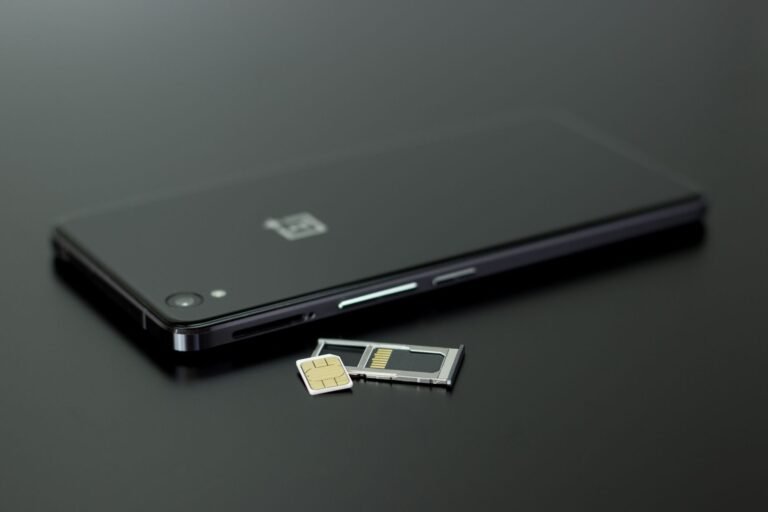
A microSD card can hold photos, videos, music, and documents on phones with a slot. Your phone can restrict apps, game data, camera modes, or encrypted work files to internal flash, so expandable media does not fully replace built-in capacity.
Leave a meaningful buffer rather than filling internal flash to the final megabyte. Your phone needs working room for updates, camera processing, and temporary files.
A Settings Check Clarifies Your Next Configuration
Your current phone shows the real constraint
Start with the Storage screen in Settings and sort the numbers into system data, apps, photos and videos, downloads, and offline media. That view tells you more than the advertised capacity printed on a product card.
Next, replay a normal busy hour with maps, music, messaging, browser research, a work app, and a game. Repeated reloads point toward RAM pressure. A shrinking file meter points toward limited local capacity.
A short checklist keeps specifications in proportion
- Check usable space Your current storage categories show whether 128GB already feels tight or remains half empty.
- Count active tasks Your routine reveals whether you switch among two apps or retain six demanding tasks at once.
- Review camera habits Your 4K recording and long trips without cloud backup justify more local capacity.
- Check game size Your favorite games can consume 10GB to 30GB before extra downloadable content appears.
- Inspect expansion support Your microSD slot, or lack of one, changes how much built-in flash capacity you need.
Built-in capacity is harder to change later on phones without a microSD slot, while excess RAM can sit unused during light tasks. Put your budget toward the limit you already see: more flash for local libraries and more physical RAM for sustained app multitasking.
Bottom Line
RAM is your phone’s active desk, while internal flash is its long-term filing cabinet. Your daily friction identifies the right capacity: app reloads point to working-memory pressure, while camera warnings and failed updates point to limited file space. ROM on a phone listing almost always means rewritable internal flash, not old-style read-only memory.
FAQ
What is the difference between RAM and ROM in a smartphone?
RAM holds temporary data for your open apps, active tabs, and operating system tasks. ROM traditionally refers to read-only firmware memory. On phone listings, ROM usually labels rewritable internal flash space for your apps, photos, videos, and downloads.
Why do phone makers call internal storage ROM when it is not truly read-only?
Phone makers use ROM as retail shorthand for internal flash capacity, even though that space accepts repeated writes and erasures. Your files, apps, and videos need rewritable memory, so a 128GB ROM label describes flash storage rather than strict read-only firmware memory.
Is internal storage the same as ROM?
A 128GB or 256GB figure on modern phone listings almost always refers to internal storage capacity. Technically, that space is rewritable flash memory, while true read-only memory refers to a much smaller firmware area used for low-level startup instructions.
What does 8GB RAM and 128GB ROM mean on a phone?
Labels such as 8GB RAM and 128GB ROM indicate 8GB of temporary working memory and 128GB of internal flash capacity. Your usable file space will be lower than 128GB because the operating system, preinstalled apps, recovery data, and updates occupy part of it.
How much RAM does a smartphone need for everyday use, gaming, and multitasking?
For calling, messaging, browsing, streaming, and navigation, 6GB to 8GB RAM can fit your routine. Your demanding games, work profiles, creative apps, and heavy multitasking can benefit from 12GB because more active tasks remain in memory before reloads begin.
How much internal storage should I choose for photos, apps, videos, and downloads?
Choose 128GB where your photos are backed up to cloud storage and local video stays limited. Your 256GB choice suits larger photo libraries, 4K recording, offline media, and games that use 10GB to 30GB. A microSD card can help with media on supported phones.