

I still remember the frustration of editing a photo at midnight, loving the tones, then watching a print come back looking flat and slightly orange. A dedicated photo printer solves that by layering dye or applying thermal pigment instead of spraying tiny ink dots, which is how a proper 4×6 ends up looking like a real photograph rather than a document with shading. The picks below cover instant dye-sublimation models and ZINK-style pocket units, so hobbyists, travelers, and creators can find a fit for their style and budget.
A Side-By-Side Look

Liene M100 4×6” Photo Printer, 100 Sheets

KODAK Step Wireless Color Mobile Photo Printer

HPRT CP4100 4×6 Photo Printer 108 Sheets

Liene M100 4×6” Photo Printer Wi-Fi

Liene M200 4×6” Battery Photo Printer

Canboc Case for KODAK Step Printers

Liene M100 4×6” Photo Printer Bundle 180 pcs
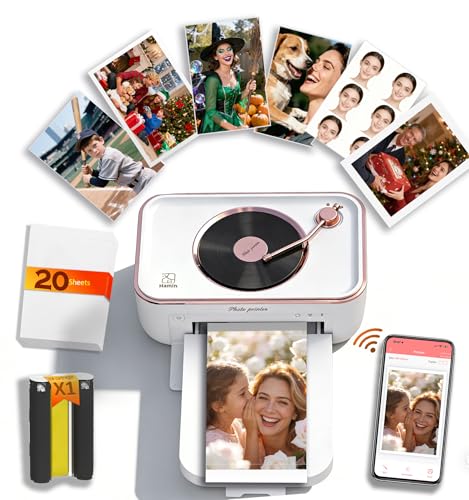
PRT 4×6 WiFi Photo Printer with AR
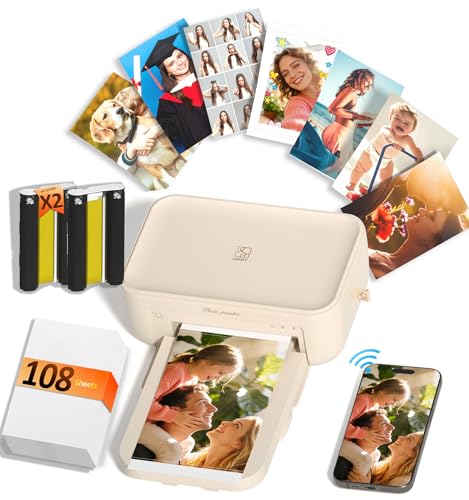
HPRT CP4100 4×6 Photo Printer Wi-Fi

PRT 4×6 Photo Printer 20 Sheets & Ribbon
Inside Each Recommended Option
The Liene M100 prints at 4×6 using thermal dye-sublimation, a process that infuses each layer of color into the paper rather than spraying dots on top, so faces look smooth and skies stay gradient rather than banded. Compared with the pocket-format KODAK Step later in this list, this one targets a sit-down home workflow and ships with paper plus cartridges already in the box, which removes the early frustration of hunting down supplies.
Owners commonly pair it with iPhone and Android over Wi-Fi, and the cartridge-loading system is genuinely grab-and-go. For someone printing party favors, family albums, or weekend event handouts, the included 100 sheets remove the usual “now I need to order more paper” pause. Setup stays simple, and the app-driven workflow feels approachable for anyone who edits on a phone.
Useful Strengths
- Thermal dye-sublimation produces continuous-tone prints that resemble lab photos more than inkjet output.
- Three cartridges plus 100 sheets in-box mean printing can start the same afternoon the box arrives.
- Works with iPhone, Android, and PC, so a household with mixed devices won’t feel locked out.
- Protective overcoat on each print helps resist fingerprints and light splashes during handling.
- Compact desktop footprint suits a kitchen counter, craft table, or small home office.
Things To Consider
- Crop tabs on the photo paper must be torn off after each print, a small step that slows batch runs.
- Replacement cartridges are brand-specific, so third-party refills aren’t a friction-free option.
- Print speed averages around a minute per photo, which feels patient rather than fast during a 30-print party.
Whose Shelf It Belongs On
Families and casual creators who print dozens of 4×6 keepsakes a month and want a ready-to-go bundle without separate supply orders.
Skip It When
Anyone who needs pocket-sized prints on the move should reach for the KODAK Step instead, since it slips into a bag and runs on ZINK paper.
The KODAK Step runs on ZINK technology, meaning each sheet of 2×3 paper already holds color crystals that activate under heat, so there are no cartridges to swap and no ink to spill in a tote bag. That zero-ink design is the whole point of this unit, and the printer weighs under a pound, which makes it genuinely pocket-friendly for journal keepers and event scrapbookers.
Compared with the Liene M100 earlier, this one trades print size and resolution depth for true portability. A peel-and-stick backing on every print turns each photo into a label for laptops, water bottles, or planner pages, and the companion app adds borders, filters, and stickers before sending the file over Bluetooth or NFC. For travelers, content creators, and kids’ birthday parties, that workflow feels more like a fun accessory than a piece of office equipment.
What Pays Off
- Zero-ink ZINK paper means no cartridges, no toner, and no mess during travel.
- Sticky-back prints double as labels and planner decorations without extra adhesive.
- Bluetooth and NFC pairing removes the usual Wi-Fi setup dance on iOS and Android.
- Compact, sub-pound body slips into a jacket pocket or backpack pouch.
Honest Caveats
- Print size caps at 2×3 inches, which limits wall-worthy output and forces creative framing.
- Color depth sits below dye-sublimation models like the Liene M100, so skin tones can skew slightly cool in low light.
- Battery life on heavy batches means carrying a power bank for long events.
Key Specs
Who Will Love This
Travelers, party hosts, and journaling enthusiasts who value sticker-sized fun over larger photographic depth.
Look Elsewhere When
Photographers archiving family portraits should consider the HPRT CP4100, since its dye-sublimation output and protective overcoat age better over time.
The HPRT CP4100 pushes color depth up to roughly 1.7 million shades through a 300 dpi dye-sublimation process, which is how its prints avoid the posterized sky look that plagues cheaper photo printers. Where the Liene M100 above feels like a friendly home unit, this one leans toward archival intent, with a built-in protective layer over each photo that resists water, scratches, and light fade.
The included 108 sheets and two ribbons give a household roughly 100 finished prints before a refill, so anniversary albums and newborn timelines don’t stall halfway through. Setup lives inside the HPRT app for iPhone and Android, and editing tools cover brightness, contrast, and basic color correction before sending. For someone handing a printed photo to a grandparent, that durability matters more than any spec sheet can convey.
Bright Spots
- Protective overcoat helps prints survive sticky toddler fingers and humid kitchens.
- Wide color gamut handles tricky sunset and skin-tone gradients without obvious banding.
- Generous in-box supplies stretch across several photo projects without a refill run.
Some Limits To Know
- Bundled ribbons are brand-specific, so generic refills may not fit cleanly.
- Body is slightly heavier than the Liene M100, which limits its appeal as a travel unit.
The Right Fit
Hobbyist photographers who want album-ready prints with serious fade resistance and aren’t moving the printer weekly.
Reach For A Different Pick When
Travelers should consider the Liene M200 Battery Edition, since it runs without an outlet at outdoor weddings and birthday picnics.
This slimmer Liene M100 bundle ships with 20 sheets and a single cartridge, which is enough paper to learn the workflow without committing to a 100-pack up front. Thermal dye-sublimation is the same process as the larger Liene bundle above, so first prints already show smooth gradients and a protective laminate, and the Wi-Fi connection lets the whole household share the printer from a phone.
For someone unboxing a photo printer for the first time, the smaller starter pack lowers the perceived risk. Once someone finishes the included 20 sheets, refills come in the same cartridge format as the bigger bundle, so there’s no awkward transition to a different system. In a small apartment or dorm, the compact footprint stays out of the way on a shelf.
Notable Upsides
- Modest starter bundle keeps the upfront commitment reasonable for new users.
- Same dye-sublimation engine as larger Liene units, so quality holds for those first prints.
- Wi-Fi setup avoids tangled cables and works across iPhone, Android, and PC.
Worth Noting
- Refill cartridges cost extra, so heavy users will outgrow the included paper quickly.
- Print speed lands around a minute per photo, which feels patient during long sessions.
Who Should Grab It
Newcomers who want to try dye-sublimation prints at home before buying a heavy-duty bundle.
Where Another Pick Suits Better
The Liene M100 Bundle with 180 sheets and 5 cartridges suits active scrapbookers who would otherwise hit empty paper mid-project.
The Liene M200 stands apart from the other Liene units because it runs on a built-in battery rather than requiring a wall outlet, which finally frees dye-sublimation printing from the kitchen counter. Dye sublimation in this context means each print passes through three color passes plus a clear laminate, so even battery-powered output still gets the protective topcoat that resists fingerprints and water.
For outdoor weddings, craft fairs, and graduation parties, that cordless workflow turns the printer into a live photo booth. The white housing reads more gift-friendly than utilitarian, and the app handles iPhone and Android equally well. Where the KODAK Step earlier sacrifices print size for portability, this one keeps 4×6 output while freeing the location.
The Value In It
- Cordless battery operation opens up outdoor events where wall power is unavailable.
- 4×6 output with dye-sublimation keeps prints at a frameable size, not just sticker-sized.
- Clean white finish looks at home on a gift table or party booth.
- Protective laminate seals each photo against light splash and handling smudges.
Trade Offs
- 20-sheet starter pack means reloading during long events.
- Battery life lands around a couple dozen prints per charge, depending on image size.
Perfect Match For
Event photographers and parents hosting outdoor parties who need a real print without dragging an extension cord.
Consider Something Else When
Studio-focused hobbyists should pick the HPRT CP4100, since higher per-charge volume and the larger ribbon pack suit long indoor sessions.
The Canboc case isn’t a printer on its own, and that honesty matters: it’s a hard-shell EVA carrying case built around the KODAK Step and Step Slim form factor, with a zippered mesh pocket that swallows ZINK paper packs and a USB charging cable. For anyone who already owns the KODAK Step covered earlier in this list, this case turns a loose collection of printer, paper, and cable into a single grab-and-go kit.
The PU exterior over the EVA shell provides crush protection in a backpack, while the mesh pocket keeps extra paper from rattling loose. For commuters and journal-keepers, that organization removes the small daily friction of forgetting which pouch holds the cable. It feels like a thoughtful companion rather than a standalone product, which is exactly the role it should play.
Notable Gains
- Hard EVA shell guards the KODAK Step against backpack drops and seat cushion crushes.
- Mesh interior pocket holds ZINK paper packs and a USB cable in one tidy unit.
- Zipper closure keeps everything together during commute jostling.
Practical Considerations
- The case only fits KODAK Step and Step Slim models, not larger printers like the Liene M100.
- PU exterior wipes clean but doesn’t feel as rugged as a hard-plastic shell in heavy rain.
Right Fit For
Existing KODAK Step owners who want a tidy travel kit without buying a whole new printer.
Not Your Match When
Anyone shopping for a printer itself should skip ahead to the PRT 4×6 WiFi Photo Printer, since it includes AR video pairing that this case obviously can’t deliver.
This is the same Liene M100 printer covered in pick one, but rebundled with 180 sheets and 5 cartridges, so the math lands heavily in favor of anyone running an actual print practice rather than dabbling. Thermal dye-sublimation prints through three color layers plus a laminate coat, and the included supplies mean a creator could finish a 50-page family album before opening a refill box.
Crop areas on both paper edges let users tear 4×6 down to smaller sizes without leaving fingerprints on the print area itself. Compared with the smaller 20-sheet Liene bundle, this version trades a slightly heavier box for months of uninterrupted printing, which suits a parent archiving school projects or a hobbyist keeping a weekly photo journal.
Well-Handled Touches
- Five cartridges plus 180 sheets remove the early “running out of paper” frustration that kills momentum.
- Tear-tab crop guides keep hands off the printed image area during refills.
- Dye-sublimation laminate resists water and smudging for albums that get handled often.
Soft Spots
- Larger bundle adds storage demands for the spare cartridges and paper packs.
- Setup steps are slightly longer with so many components to unbox at once.
Made For
Active creators and family archivists who print weekly and would rather buy supplies once than chase refills monthly.
A Better Fit Elsewhere
Anyone working outdoors should consider the Liene M200 Battery Edition, since this bundle still expects a wall outlet during use.
The PRT 4×6 WiFi printer uses a four-pass dye-sublimation process, which is one extra color cycle beyond some competitors and helps reduce the banding that ruins smooth sky gradients. The feature that genuinely separates it from the Liene M100 reviewed earlier is augmented reality video pairing, where a printed photo unlocks a short video clip when scanned through the companion app.
For social-media creators, that bridge between print and motion changes how a finished photo lands. A wedding guest receives a 4×6 of the first dance, then scans it with a phone to see a five-second clip of the actual moment. The Wi-Fi connection and 20-sheet starter pack keep the workflow simple enough for someone whose tech comfort level sits at “I use Instagram daily.”
What Helps Most
- Four-pass dye sublimation delivers smooth gradients without the posterization that plagues cheaper printers.
- Augmented reality video pairing turns a still print into a shareable moving memory.
- Compact desktop form factor feels gift-appropriate for new homeowners and parents.
Trade-Offs To Consider
- AR video pairing depends on app updates, so the feature may shift over time.
- Starter pack includes only one ribbon, so refills arrive sooner than the Liene 180-sheet bundle.
Who It Suits Best
Social-first creators and gift-givers who want the wow factor of motion-enhanced prints.
Swap It Out When
Someone focused purely on photo longevity should consider the HPRT CP4100 instead, since its overcoat is built for archival durability.
This HPRT CP4100 variant trades the USB tether found on some sibling models for full Wi-Fi, which removes a small but persistent annoyance in households where the printer lives across the room from the computer. The 300 dpi dye-sublimation engine and protective overcoat stay consistent with the non-Wi-Fi HPRT covered earlier, so the color depth and scratch resistance don’t take a hit for the wireless convenience.
Included 108 sheets and two ribbons give roughly 100 finished prints, enough to cover a full wedding album or a school year’s worth of memory projects. For a small home studio that prints several times a week but doesn’t want to keep a laptop tethered to a desk, this version reads like the practical everyday pick in the HPRT lineup.
The Practical Payoff
- Wi-Fi connection means no cable clutter when the printer lives on a separate shelf or counter.
- Same 300 dpi dye-sublimation engine as the wired HPRT, so quality stays consistent.
- Two ribbons and 108 sheets cover a typical album project from start to finish.
A Few Limitations
- Wi-Fi setup adds an extra minute compared with USB-direct competitors.
- Replacement ribbons are brand-specific, which limits third-party options.
Quick Facts
Best Suited To
Home-studio photographers who print several projects a month and want a wireless setup without sacrificing print depth.
Where A Sibling Pick Shines
Outdoor event hosts should reach for the Liene M200 Battery Edition instead, since this HPRT still expects a wall outlet.
The PRT 4×6 starter pack keeps things simple with 20 sheets and a single ribbon, so the upfront price stays approachable for anyone curious about dye-sublimation printing without committing to a hundred-sheet bundle. The four-pass color process matches the larger PRT model reviewed earlier, so prints still get the smooth gradient treatment rather than inkjet-style dotting.
Compared with the Liene M100 20-sheet bundle covered in pick four, this PRT ships with one ribbon where some competitors ship with a cartridge and a paper pack. For a casual gift-giver printing graduation snapshots or holiday cards a few times a year, that smaller bundle removes the “what do I do with 80 extra sheets” anxiety that comes with larger bundles.
Everyday Perks
- Lower upfront cost makes dye-sublimation printing accessible for casual users.
- Four-pass color process keeps gradients clean on portraits and landscapes.
- Compact footprint suits small desks and dorm rooms.
Factors To Consider
- Single ribbon means refills arrive quickly for anyone printing more than occasional batches.
- No augmented reality feature, so creators should look at the PRT WiFi AR model instead.
Built With In Mind
Casual gift-givers and curious newcomers who want to try dye-sublimation without a heavy upfront supply commitment.
Another Choice May Suit
Anyone printing dozens of photos a month should consider the Liene M100 100-sheet bundle, since its larger supply pack avoids frequent refills.
What To Weigh Before Choosing Color Printers For Photographers
Match The Print Technology To The Output
Dye-sublimation printers fuse color into the paper through heat, which is how 4×6 prints end up with continuous-tone gradients rather than visible dots. ZINK printers like the KODAK Step rely on crystals embedded in the paper that activate under heat, and that trade-off buys portability at the cost of color depth and print size. Most photographers who care about skin tones should default to dye sublimation, while journalers and party hosts often prefer ZINK for its zero-mess simplicity.
Consider The Real Supply Math
Bundled paper counts shape the experience more than the printer body does. A 20-sheet starter pack feels generous until a school project doubles in size, while a 108 or 180-sheet bundle clears months of work without refill anxiety. Refill cartridges and ribbons are also brand-specific in this category, so generic alternatives aren’t always an option.
Think About Location And Power
A wall-bound desktop unit suits a kitchen shelf or craft corner, while battery-powered models like the Liene M200 open up outdoor events where outlets are scarce. Wi-Fi models remove cable clutter but add a minute to first-time setup. Pocket-format ZINK printers travel easily but cap print size at 2×3 inches, which limits framing options.
Plan For Print Durability
A protective laminate layer on each print, common in HPRT and Liene dye-sublimation units, helps photos survive years of handling and the occasional spilled drink. Travelers and parents of toddlers especially benefit from that overcoat. Pocket prints without lamination feel fun but scratch more easily, so they suit short-term projects like scrapbook pages rather than long-term display.
Key Considerations Across These Picks
Common Buying Traps
The biggest trap in this category is buying a printer, then realizing the refill cartridges are proprietary and more expensive than expected. Another frequent miss is choosing a ZINK pocket printer for an album project, since the small print size doesn’t scale to wall display. People also tend to underestimate how fast a 20-sheet pack disappears once the family sees the printer in action.
Why The Higher Tier Costs More
Bundles with 100 or more sheets, protective laminate, and Wi-Fi connectivity carry a higher price because the included supplies alone offset a meaningful chunk of the cost. Models with augmented reality pairing add licensing and app development overhead, so that feature alone explains some of the price gap. For most households, the upgrade pays off when the printer handles a real album without constant supply ordering, rather than when it sits idle after a few weekends of use.
Frequently Asked Questions
How Does Dye-Sublimation Printing Differ From Regular Inkjet Printing?
Dye-sublimation uses heat to fuse color into specially coated paper, producing continuous-tone prints without visible dots. Regular inkjet printers spray tiny ink droplets that sit on the paper surface, which can look grainy on close inspection and tends to fade faster without a laminate coat.
Are Color Photo Printers Worth It For Casual Use?
Casual users who print a few times a year still benefit from dedicated photo printers because the output quality looks noticeably closer to a lab print than a standard inkjet document printer. The smaller starter bundles covered in this list keep the upfront cost reasonable for occasional use.
How Long Do Color Photo Prints Typically Last?
Dye-sublimation prints with a protective laminate layer can last several years without significant fading when stored away from direct sunlight. ZINK prints hold up well for journaling and short-term display but tend to show wear faster under heavy handling.
Can These Printers Work Without A Computer?
Most printers in this category pair directly with iPhone and Android apps over Wi-Fi or Bluetooth, so a computer isn’t required for everyday printing. A PC or Mac is sometimes useful for batch workflows or color calibration, but it’s not part of the standard print path.
What Paper Size Works Best For Albums?
Standard 4×6 prints fit common album sleeves, frame mats, and greeting card layouts, which is why most dedicated photo printers in this category default to that size. Smaller 2×3 sticker prints suit planners and journals but don’t scale to traditional album pages.
Bottom Line
A dedicated photo printer turns phone snapshots and mirrorless captures into keepsakes worth holding, and the right model depends on whether the goal is album-grade 4×6 prints, pocket-friendly stickers, or something in between. The Liene M100 with 100 sheets anchors the all-around home pick, the HPRT CP4100 handles archival needs, and the KODAK Step covers travelers who want zero-ink simplicity. Any of these picks turns photo appreciation into something more tangible than another camera roll scroll.




