

When I need to hand out drives at a small workshop or back up a stack of client files at once, a single thumb drive never cuts it. Bulk flash drives solve that quiet headache: ten, twenty, or two hundred units in one box, each ready to slot into a laptop, a TV, or a dusty office PC. The trick is matching the pack to the job, since capacity, connector type, and build quality all behave differently once you’re buying in volume.
I’ve walked through nine multi-packs below, comparing capacity per drive, USB standard, swivel design, and whether each one makes sense for personal storage, classroom use, business gifting, or branded giveaways. The short answer: USB 3.0 speeds, sturdy metal bodies, and dual connectors earn their keep across most scenarios. Stick with what fits the actual workload.
A Quick View Of The Lineup
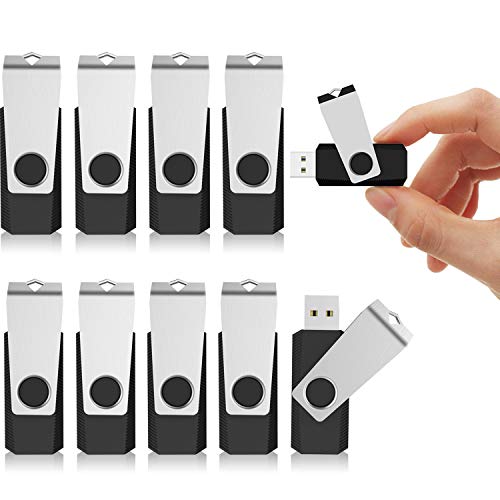
KEXIN 10 Pack 64GB USB Flash Drive with Swivel

KEXIN USB 3.0 Flash Drive 64GB 10 Pack

ABLAZE 32GB Flash Drive 10 Pack with Lanyards
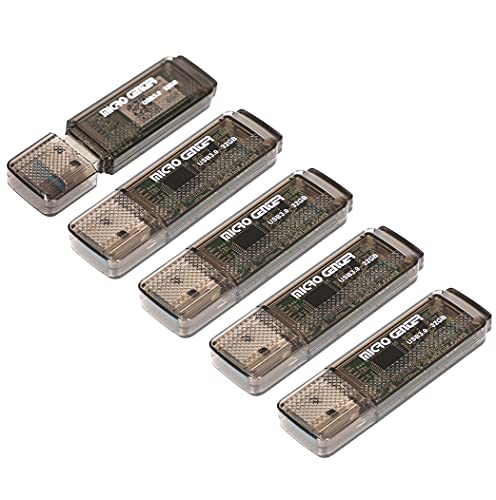
Micro Center SuperSpeed 5 Pack 32GB USB 3.0 Flash Drive
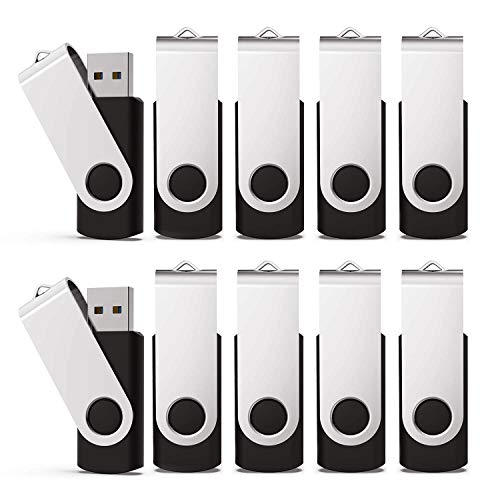
KEXIN 10 Pack 32GB Flash Drive Bulk

Enfain 8GB USB Flash Drive 10 Pack with Labels

ABLAZE 8GB Flash Drive 10 Pack with Keychains

ABLAZE Type C Flash Drive 16GB 10 Pack Dual Connector

Custom Swivel USB Flash Drives 200 Pack with Logo
Why These Options Stand Out
I reach for this KEXIN pack whenever the job calls for ten matching drives without the USB 3.0 premium. Each stick holds 64GB, which covers most photo libraries, school projects, and small video backups without leaving anyone stuck waiting on a second drive.
The swivel-style body removes one classic annoyance: lost caps. Since every unit in the box wears the same black plastic shell, organizing a drawer or a tech bench feels straightforward. For most home offices and small studios, this pack lands in that comfortable middle ground between capacity and price.
Reasons It Performs
- 64GB per drive holds roughly 15,000 photos or several hours of standard video
- Capless swivel design means no small parts to misplace on a busy desk
- Ten identical units make labeling and shelving simple for families or small teams
- Plug-and-play setup avoids driver installs across Windows and macOS machines
Things To Consider
- USB 2.0 transfer rates feel slow when moving multi-gigabyte video files
- Plastic shell can show scuffs after a year of pocket carry
At A Glance
Who It Suits Best
Home users and small offices who want ten matching drives for backups, transfers, and shared projects without paying for USB 3.0 speeds.
Where Another Pick Suits Better
The KEXIN USB 3.0 Flash Drive 64GB 10 Pack is a smarter fit for anyone regularly moving large video files where transfer speed matters.
This second KEXIN pack looks similar to the first at a glance, but the upgrade to USB 3.0 changes the daily feel. The LED activity light on each stick is a small touch that signals whether a transfer is still running or finished.
I find this one earns its keep for anyone who copies large video files, raw photos, or software installers regularly. Compared to the plastic swivel above, the speeds here shave meaningful time off big batches.
Useful Touches
- USB 3.0 interface speeds up large file transfers compared to USB 2.0 packs
- LED indicator confirms activity so a brief glance shows when a job is done
- Ten 64GB sticks give a total of 640GB across the box for team storage
- Backward compatibility with USB 2.0 ports keeps older machines in play
Trade Offs
- Real-world speeds still vary by host port and cable condition
- Larger transfer jobs can warm the plastic housing during extended writes
Made For
Creators and IT staff handling multi-gigabyte transfers who want speed without leaving the KEXIN ecosystem.
Consider Something Else When
The Micro Center SuperSpeed 5 Pack 32GB is a smaller, slimmer alternative for travelers who prefer fewer, more compact sticks.
Where the first two KEXIN packs lean toward general office use, this ABLAZE bundle comes with lanyards and color-coded shells, which I find genuinely useful in classroom and workshop settings. Each drive gets a hook on the cap so students can hang a stick from a badge clip.
Capacity drops to 32GB per drive, but the trade-off pays off in organization. Teachers and field trainers tend to keep one color per project, then collect the drives at the end of a session.
The Good Stuff
- Lanyard loops keep drives from disappearing under laptop bags
- Color coding helps groups sort files by team, class, or topic
- Ten units ship with ten lanyards, no separate accessory order needed
- 32GB holds roughly 7,000 photos, plenty for standard coursework
Honest Caveats
- USB 2.0 limits speed during large batch uploads
- Plastic shells show wear faster than metal-bodied competitors
- Lanyards can tangle if stuffed loosely into a backpack
Best Suited To
Teachers, trainers, and event coordinators who need to hand out, track, and recollect drives from groups.
Skip It When
The KEXIN 10 Pack 64GB USB Flash Drive with Swivel is a better match for users needing double the capacity per stick.
This Micro Center pack breaks the ten-drive pattern with just five sticks, which fits a different mental model: fewer, slimmer, faster. The brown plastic shell is genuinely small, closer to a stick of gum than a traditional thumb drive.
USB 3.0 support means read speeds up to about 70MB/s on paper, so loading up a batch of presentation files happens without the usual USB 2.0 delay. For laptop commuters who keep a drive semi-permanently plugged in, the slim profile matters.
The Case For It
- USB 3.0 read speeds cut down on file-loading waits in everyday use
- Compact shell leaves room for other devices in crowded USB hubs
- Five-pack size suits small households or remote work setups
- Backward compatibility with USB 2.0 ports keeps older laptops in play
Worth Noting
- Smaller bodies are easier to lose in couch cushions or jacket pockets
- Only five units per box, so larger groups need multiple orders
Feature Snapshot
Who Should Grab It
Remote workers and commuters who prefer slim drives for daily laptop carry and want USB 3.0 speed.
A Better Fit Elsewhere
The ABLAZE 32GB Flash Drive 10 Pack with Lanyards works better for group settings where color coding and extras matter.
This older KEXIN listing returns to the ten-pack format with 32GB per stick and a metal swivel clip. I see it as the entry point for anyone who needs bulk drives for handouts, gifts, or lightweight backups without overspending.
Capacity is half of the first KEXIN pack, but each drive is built around a simple promise: hand it out, label it, fill it up. For school drives, wedding photo distribution, or trade show swag, that promise holds up well.
A Strong Showing
- Ten 32GB drives offer a balanced cost-to-capacity ratio for bulk needs
- Metal swivel protects the connector without a separate cap
- Each unit is tested before shipping, reducing dead-on-arrival issues
- Works across Windows, macOS, and most smart TVs without extra setup
Points To Keep In Mind
- USB 2.0 transfer speeds feel dated when copying modern video files
- 32GB fills quickly with 4K phone footage or RAW photo sessions
Right Fit For
Budget-conscious shoppers who need ten matching drives for general storage, gifts, or light office use.
Not Your Match When
The KEXIN USB 3.0 Flash Drive 64GB 10 Pack is the better upgrade for users wanting faster speeds and double the capacity per drive.
The Enfain bundle is the smallest in capacity per drive on this list, but it compensates with organization extras: blank labels and pre-printed labels ship in the box. That single feature tends to matter most for businesses handing out drives for client deliverables.
Each stick is 8GB, enough for a PowerPoint deck, a PDF portfolio, or a folder of high-resolution photos. For presentation work or short-term file transfers, the smaller size becomes a feature, not a limitation.
A Favorable Mix
- Comes with 10 blank and 19 pre-printed labels for instant categorization
- Metal swivel cap rotates 360 degrees to shield the connector
- 80GB total across the pack handles ten small client projects comfortably
- Pre-tested drives reduce setup friction during busy office mornings
Practical Considerations
- 8GB per drive fills fast with modern video or large database files
- USB 2.0 interface slows down multi-gigabyte transfers
- Label sheets can run short if drives get reused and relabeled often
Quick Facts
Who Will Love This
Small businesses, real estate agents, and consultants who deliver presentations to clients and want drives that stay neatly labeled.
Reach For A Different Pick When
The ABLAZE 8GB Flash Drive 10 Pack with Keychains is a stronger alternative for users who want metal-bodied drives attached to keys.
This ABLAZE bundle swaps the lanyards from the earlier 32GB pack for metal keychains, which suits anyone who keeps a drive clipped to a work keyring. The slim metal housing helps the stick survive years of pocket carry, which tends to chew through plastic bodies.
Capacity mirrors the Enfain pack at 8GB per drive. The honest read is that this one prioritizes portability over storage room.
The Helpful Details
- Metal shell holds up to daily keyring abuse better than plastic sticks
- Ten keychains included, no extra accessory purchases needed
- Slim profile fits narrow USB ports on tablets and slim laptops
- Customization options available for businesses wanting branded shells
Room For Improvement
- USB 2.0 transfer rates feel slow on modern laptops with USB 3.0 ports
- 8GB fills quickly with high-resolution photos or short video clips
- Keyring attachment can stress the loop if yanked hard
Perfect Match For
Anyone who wants durable, pocketable drives for daily carry, especially delivery drivers, technicians, and field staff.
Look Elsewhere When
The Enfain 8GB USB Flash Drive 10 Pack with Labels is a better fit for office workflows where labeling matters more than keyring carry.
This ABLAZE pack breaks the USB-A mold with dual USB-C and USB-A connectors on a single stick. For anyone carrying an Android phone, a recent iPhone, an iPad, and a laptop, that dual plug means one drive covers four device types.
Capacity per drive sits at 16GB, which fills up faster than the 64GB options above. The trade-off earns its keep when convenience and device flexibility matter more than raw gigabytes.
Useful Highlights
- USB-C connector works directly with newer Android phones and iPads
- USB-A side keeps traditional laptops and desktops in the loop
- OTG functionality (USB On-The-Go, which lets phones read USB drives directly) enables plug-and-play phone backups
- Ten-pack size suits small teams with mixed-device environments
Points To Note
- USB 2.0 transfer speeds underdeliver compared to modern USB-C standards
- 16GB per drive limits use for video-heavy mobile backups
Feature Card
Whose Shelf It Belongs On
Mobile-first users and mixed-device households who want one drive that bridges USB-C phones and older USB-A laptops.
Swap It Out When
The Micro Center SuperSpeed 5 Pack 32GB USB 3.0 Flash Drive is a better choice for traditional laptop workflows needing speed.
The Paintechz listing sits at the extreme end of bulk, with 200 drives in a single order. This one isn’t for personal storage; it’s built for corporate gifting, trade show booths, and branded giveaways where every stick carries a company logo.
Each drive is 16GB and ships blank, ready for custom screen printing, UV printing, full-color, or laser engraving. For marketing teams planning a sizable campaign, the unit economics shift dramatically compared to ten-packs.
Noteworthy Benefits
- 200 drives per order meets large tradeshow and event giveaway needs
- Double-sided printing included in the price for stronger brand visibility
- Swivel design protects the connector during shipping and handling
- Multiple decoration methods (screen print, UV, full color, engraving) suit different brand styles
Things To Weigh Up
- 200-unit commitment is overkill for casual personal storage
- Customization adds lead time for proof approval and production
- 16GB per drive limits how much branded content each recipient receives
Built With In Mind
Marketing teams, event planners, and corporate buyers ordering branded drives for large-scale distribution.
Another Choice May Suit
The KEXIN 10 Pack 64GB USB Flash Drive with Swivel is a far better fit for personal or small-team storage without branding needs.
What To Look For In A Bulk Flash Drive Order
Capacity per drive sets the foundation. For document and presentation handoffs, 8GB covers most needs without padding the order. For photo libraries or short video clips, 32GB offers breathing room. Anyone moving RAW photos or HD video regularly should look at 64GB sticks to avoid splitting files across multiple drives.
USB standard matters once speed enters the picture. USB 2.0 handles documents and small media at acceptable rates, but anyone copying multi-gigabyte batches will feel the wait. USB 3.0 cuts that wait noticeably and stays backward-compatible with older ports, so it rarely causes compatibility headaches.
Build quality affects how long a bulk order actually lasts. Plastic shells save cost but scuff and crack over years of pocket carry. Metal swivel designs and aluminum bodies hold up better in shared office trays, keychains, and tradeshow shipping boxes. Connector protection, whether through a cap or a swivel mechanism, matters more than people expect.
Connector type has shifted in recent years. USB-A still rules older laptops, desktops, TVs, and car stereos, but USB-C has taken over phones, tablets, and newer Macs. Dual-connector sticks solve that split for households and teams with mixed devices, while traditional USB-A sticks remain the safer choice for legacy hardware.
Smart Buying Advice For Bulk Drive Orders
Where Shoppers Go Wrong
The most common mistake is underestimating capacity needs once drives get handed around. Eight gigabytes felt roomy ten years ago, but a single hour of 4K phone footage can exceed that. Ordering the cheapest drive per stick often means reordering within a year. Another trap is overlooking connector type: a USB-A-only pack is useless for someone whose only computer is a recent MacBook Air, no matter how cheap the deal looks.
When Paying More Pays Off
Higher-tier packs earn their premium through USB 3.0 speeds, metal bodies, dual connectors, or branding options that support a business goal. For a corporate giveaway, the upgrade from a plain plastic stick to a custom-printed swivel drive transforms the same storage into a marketing asset. For personal storage, the upgrade to USB 3.0 simply saves time every time files move.
Frequently Asked Questions
How Many Drives Should I Order For A Small Business?
For most teams under twenty people, a ten-pack covers onboarding, client handoffs, and project backups without overbuying. Larger teams or events need higher counts like the 200-pack above.
Are Bulk Flash Drives Less Reliable Than Single Packs?
Reliability depends on the manufacturer and component quality, not pack size. Most reputable bulk drives undergo the same testing as retail sticks, though lower-cost plastic shells may wear out faster over years.
Can USB 3.0 Drives Work In USB 2.0 Ports?
Yes, USB 3.0 drives stay backward-compatible with USB 2.0 ports, though transfer speeds drop to the older standard. The connector physically fits both port types on most modern drives.
Is 8GB Enough For Modern Files?
For documents, spreadsheets, and short photo folders, 8GB still works fine. For video files, music libraries, or RAW photos, 32GB or 64GB per drive is a more practical minimum.
How Do I Label Drives For Different Projects?
Pre-printed label sheets, color-coded shells, and physical stickers all work. Some teams reserve one color per project, while others write the project name directly on the drive with a permanent marker.
Closing Remarks
The right bulk flash drive pack comes down to matching capacity, connector type, and build quality to the actual workload. For general office and personal use, a ten-pack with 32GB or 64GB sticks covers most scenarios. For mobile-first users, dual USB-C and USB-A drives bridge the device gap. For branded giveaways, custom 200-packs turn storage into marketing. Pick the one that fits how the drives will actually be used, and the rest takes care of itself.




