

Shopping for a new tablet on a budget can feel like guesswork. I’ve helped friends sort through specs long enough to know that “cheap” shouldn’t mean “disappointing,” and the right pick depends on whether you’re streaming shows, taking notes, or sketching ideas. This roundup walks through ten solid options across iPadOS and Android, mixing brand-new releases with renewed deals. My goal is simple: help you find the tablet that fits your real routine without overselling anything.
The Essentials At A Glance

Apple iPad 11-inch A16 128GB Wi-Fi 6 (Yellow)
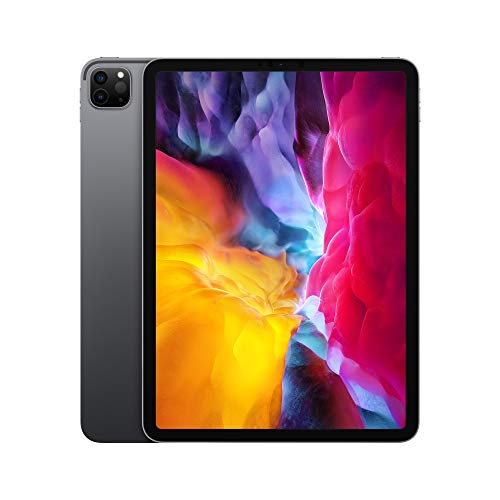
Apple iPad Pro 11-inch (2020, 128GB, Wi-Fi, Space Gray)
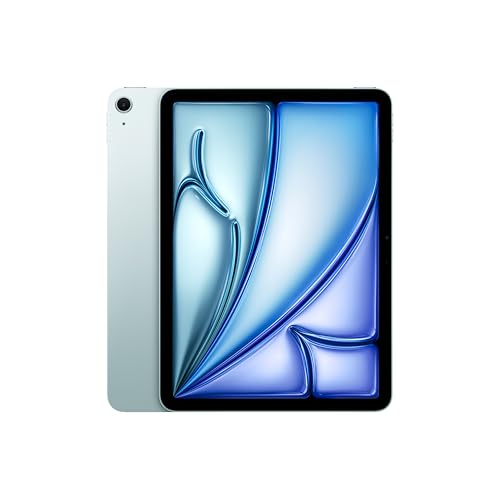
Apple iPad Air 11-inch M4 1TB (Blue)
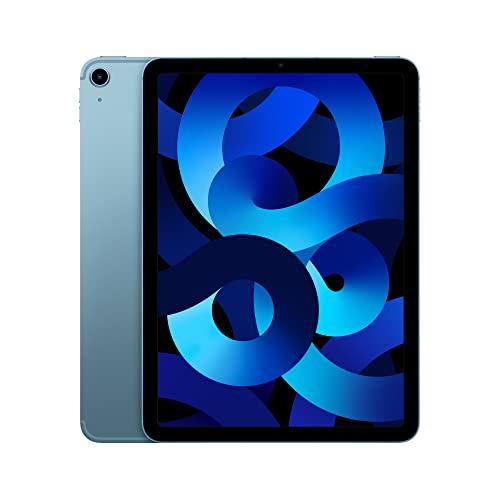
Apple iPad Air 5th Gen M1 256GB 5G (Blue)

Samsung Galaxy Tab S7 Wi-Fi 256GB (Mystic Navy)
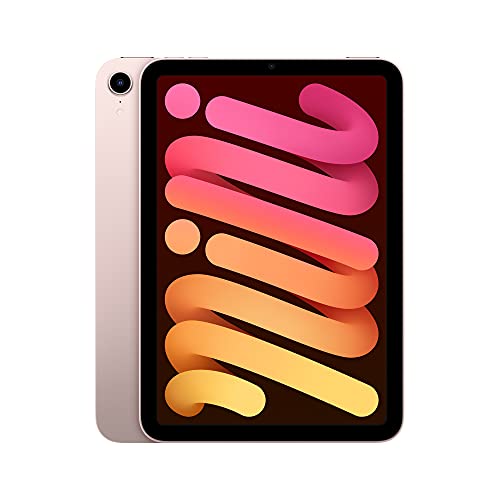
Apple iPad mini 6th Gen A15 64GB (Pink)

Apple iPad mini A17 Pro 512GB (Purple)

Apple iPad Pro 11-inch M5 1TB (Silver)
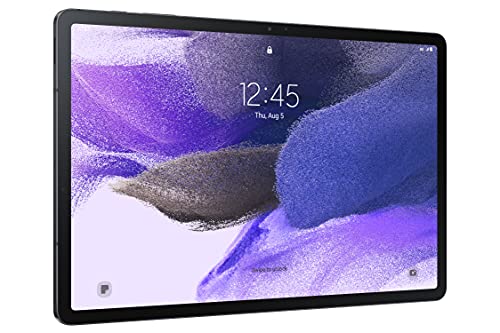
Samsung Galaxy Tab S7 FE 12.4″ 64GB (Mystic Black)

Apple iPad 2025 A16 512GB Renewed (Silver)
Taking A Closer Look At The Options
This base-model iPad has earned its reputation as a sensible starting point for people who want Apple’s ecosystem without paying for Pro-level extras. The A16 chip handles streaming, casual games, and note-taking smoothly, while the 11-inch Liquid Retina display (Apple’s term for a high-resolution IPS panel with wide color and True Tone adjustment) gives movies and comics a crisp, colorful look.
For households sharing a tablet, the 128GB storage option leaves reasonable room for apps and a few seasons of shows. Compared to the iPad Air 5th Gen below, this model skips the M1 chip’s extra headroom but costs noticeably less.
A Strong Showing
- A16 chip handles daily tasks, light gaming, and multitasking without breaking a sweat.
- 11-inch Liquid Retina display with True Tone looks bright indoors and adjusts for comfortable evening reading.
- Touch ID (the fingerprint sensor built into the power button) keeps login quick and Apple Pay frictionless.
- USB-C charging means one cable covers a phone, tablet, and many laptops.
- Wi-Fi 6 support keeps downloads fast on modern home routers.
Things To Consider
- 128GB fills up fast for families storing lots of videos, though iCloud offloading helps.
- Doesn’t support the latest Apple Pencil Pro features found on newer Air and Pro models.
- No Face ID for biometric unlocking.
Key Specs
Who It Suits Best
Families, students, and casual streamers who want a reliable Apple tablet for everyday tasks without overspending.
Consider Something Else When
Heavy multitaskers or creative pros should look at the iPad Air 11-inch (M4) further down for extra processing power.
The 2020 iPad Pro remains an interesting find for shoppers who want Pro-tier features without the newest price tag. Its A12Z Bionic chip still handles demanding apps, while the 11-inch edge-to-edge Liquid Retina display includes ProMotion, Apple’s 120Hz adaptive refresh technology that makes scrolling and drawing feel smoother.
The LiDAR Scanner (a depth-sensing tool that maps room dimensions) opens the door to augmented reality apps and faster autofocus, which photographers and interior designers often appreciate. For the price-conscious creative, it’s a compelling older Pro option.
Strengths Worth Knowing
- ProMotion 120Hz display makes drawing and scrolling noticeably fluid.
- Dual rear cameras plus LiDAR support AR apps and creative workflows.
- Face ID (Apple’s facial recognition unlock) adds hands-free convenience.
- Four-speaker audio delivers richer sound for movies without headphones.
Worth Noting
- The A12Z chip lags behind newer M-series chips in heavy video editing.
- 128GB storage fills quickly with ProRes video and large photo libraries.
- An older model may have shorter remaining software support than current releases.
Made For
Creatives, AR enthusiasts, and shoppers wanting Pro features at a discount who don’t need cutting-edge processing speed.
Look Elsewhere When
Buyers wanting the latest chip and longest software runway should consider the iPad Pro 11-inch (M5) later in this list.
The iPad Air with the M4 chip lands in that sweet spot for people who want Pro-grade performance in a lighter, more affordable body than the iPad Pro line. Apple’s M4 chip handles advanced graphics and on-device AI tasks smoothly, which matters for anyone editing photos, sketching with Apple Pencil Pro, or running creative apps like Procreate and Logic.
Wi-Fi 7 support future-proofs the wireless connection for years to come, and the 1TB storage tier appeals to video editors who carry large project files. Compared to the iPad Air 5th Gen earlier, this generation takes a meaningful leap in processing power.
The Practical Payoff
- M4 chip delivers excellent performance for editing, gaming, and AI-driven tasks.
- 1TB storage means carrying a full photo and project library without offloading.
- Wi-Fi 7 offers the fastest current wireless standard for early-adopter routers.
- Touch ID keeps unlocking fast while maintaining security.
- Compatible with Apple Pencil Pro for pressure-sensitive drawing and hover features.
Trade Offs
- 1TB storage pushes the price higher than many shoppers expect.
- Battery life claims assume typical use; heavy rendering tasks drain faster.
- Accessories like Magic Keyboard add to total ownership cost.
Quick Facts
Right Fit For
Power users, digital artists, and mobile creatives who need serious performance without stepping up to the Pro line.
A Better Fit Elsewhere
Budget-focused shoppers who mostly stream and browse will find better value in the base Apple iPad 11-inch (A16) at the top of this list.
The iPad Air 5th Generation earned its reputation as a productivity sweet spot, and the M1 chip still punches above its weight. With 256GB of storage and built-in 5G cellular, this model suits people who work away from Wi-Fi, whether that’s at a café, on a train, or at a job site.
The 10.9-inch Liquid Retina display delivers accurate color for design work, and the M1 chip handles multitasking comfortably. For shoppers comparing this to the M4 Air above, the trade-off is mostly processing headroom and newer wireless standards, not the core experience.
Bright Spots
- M1 chip handles multitasking and creative apps without slowdowns.
- 256GB storage offers comfortable room for apps and offline media.
- 5G cellular keeps you connected away from Wi-Fi.
- Touch ID and USB-C deliver modern convenience.
Points To Note
- Wi-Fi 6 is solid but lacks Wi-Fi 7 future-proofing found on newer models.
- Doesn’t support Apple Pencil Pro hover features.
- Cellular models require a data plan for the 5G feature to work.
Best Suited To
Mobile professionals and remote workers who value cellular connectivity and solid performance at a mid-tier price.
Skip It When
Shoppers staying mostly on home Wi-Fi may prefer the iPad 11-inch (A16) at the top of this list for lower cost.
The Galaxy Tab S7 stands out as the Android alternative worth knowing about for people who prefer Google’s ecosystem. With 256GB of storage and the S Pen included in the box, it’s a productivity-focused tablet that handles note-taking, sketching, and document markup out of the box.
Multi-device connectivity (Samsung’s feature for seamless handoff with Galaxy phones and earbuds) makes it especially appealing if you already own other Samsung gear. Compared to the iPad Air 5th Gen above, this model trades Apple’s chip efficiency for Android’s flexibility and expandable storage.
A Few Strong Suits
- S Pen included at no extra cost, with low-latency writing and drawing.
- 256GB internal storage handles apps and offline content generously.
- Multi-device connectivity integrates smoothly with Galaxy phones and buds.
- Desktop-like DeX mode (Samsung’s PC-style interface) helps with heavy productivity tasks.
Honest Caveats
- Android tablet app selection trails iPadOS for certain pro creative apps.
- An older release may see fewer future software updates than current models.
- Some accessories require separate purchase.
Feature Snapshot
Who Should Grab It
Android fans, Samsung ecosystem users, and note-takers who want a productivity tablet with stylus included.
Another Choice May Suit
Creative pros invested in apps like Procreate or Logic should look at the iPad Air 11-inch (M4) for better software support.
The iPad mini fills a specific niche that other tablets on this list don’t quite touch: true one-handed portability. At 8.3 inches, it slips into a jacket pocket or small bag, making it ideal for commuters, frequent travelers, and readers who want something lighter than a full-size tablet.
The A15 Bionic chip keeps performance snappy for reading apps, light gaming, and video calls. Center Stage (Apple’s camera feature that automatically pans and zooms to keep you in frame during video calls) makes video chats feel more natural. Compared to the standard iPad above, the mini trades screen size for grab-and-go ease.
Where It Delivers
- 8.3-inch size fits comfortably in one hand for reading and browsing.
- A15 chip handles everyday apps and games without lag.
- Center Stage keeps video calls framed automatically.
- USB-C charging aligns with modern cables and accessories.
Smaller Caveats
- 64GB storage feels tight for users with large offline media libraries.
- Smaller screen makes split-view multitasking cramped.
- Doesn’t support the latest Apple Pencil Pro features.
Perfect Match For
Commuters, travelers, and readers who want a pocket-friendly tablet for casual use.
Reach For A Different Pick When
Shoppers wanting more storage and a bigger canvas for sketching should consider the iPad mini (A17 Pro) below.
The newest iPad mini packs a serious punch in that small frame, and the A17 Pro chip is the headline feature here. It supports Apple Intelligence (Apple’s on-device AI system for writing, image generation, and smart assistance), which matters if you want the latest AI-driven iPadOS features.
Wi-Fi 6E (an extended version of Wi-Fi 6 that uses the 6GHz band for faster speeds on compatible routers) future-proofs your wireless connection, and 512GB storage gives you room for offline video and project files. For shoppers comparing this to the iPad mini 6th Gen above, the upgrades are meaningful: faster chip, more storage, and AI features.
Why It Works Well
- A17 Pro chip delivers strong performance in a compact body.
- 512GB storage removes the anxiety of running out of space.
- Wi-Fi 6E support takes advantage of newer routers.
- Apple Intelligence integration for AI-assisted tasks.
- USB-C connectivity for modern accessories.
Points To Keep In Mind
- Smaller 8.3-inch screen limits split-view productivity comfort.
- Premium pricing for a mini-size tablet.
- Apple Intelligence features require iPadOS updates to enable.
Core Details
Who Will Love This
Travelers, on-the-go professionals, and power users who want flagship processing in a pocket-friendly tablet.
Swap It Out When
Shoppers preferring a larger canvas for sketching or multitasking should look at the iPad Air 11-inch (M4) reviewed earlier.
The iPad Pro with the M5 chip represents Apple’s current flagship performance, paired with the Ultra Retina XDR display (Apple’s high-contrast display with extreme brightness and Nano-Texture Glass for reduced glare). For creative professionals who edit video, design 3D assets, or run demanding apps, this is the tablet to consider.
The Nano-Texture Glass option diffuses reflections, which matters in bright studios or outdoor shoots. With 1TB storage, Wi-Fi 7, and Face ID, it covers nearly every premium feature Apple offers. The honest read is that most casual users don’t need this much power, but pros will appreciate it.
Useful Touches
- M5 chip with Neural Accelerators for fast on-device AI performance.
- Ultra Retina XDR display offers excellent brightness and contrast.
- Nano-Texture Glass reduces glare in bright environments.
- LiDAR Scanner supports AR workflows and depth-aware apps.
- 1TB storage handles large project files without external drives.
- Face ID for secure, hands-free unlocking.
Some Limits To Know
- High-end pricing puts this out of reach for casual shoppers.
- Nano-Texture Glass requires specific cleaning methods to maintain.
- Accessories like Magic Keyboard and Apple Pencil Pro add significant cost.
Technical Sheet
Built With In Mind
Creative professionals, video editors, and power users who need the best performance and display quality Apple offers.
Where A Sibling Pick Shines
Shoppers wanting Pro-like performance at a lower tier should consider the iPad Air 11-inch (M4) earlier in this roundup.
The Galaxy Tab S7 FE appeals to anyone who wants a large-screen Android tablet without paying flagship prices. The 12.4-inch display gives movies, comics, and split-screen apps plenty of room to breathe, while the S Pen ships in the box for note-taking right out of the package.
For students, casual creatives, and households wanting a shared entertainment screen, the S7 FE covers the basics well. Compared to the standard Galaxy Tab S7 above, this model offers a bigger display but typically steps down in processor and storage configuration.
What Pays Off
- Large 12.4-inch display makes streaming and reading comfortable.
- S Pen included without extra purchase.
- Long-lasting battery supports full work or school days.
- Multi-device connectivity with Galaxy phones and earbuds.
Possible Compromises
- 64GB internal storage fills up quickly for media-heavy users.
- Processor is mid-range, so heavy gaming may stutter.
- Android tablet app optimization varies by developer.
The Right Fit
Students, casual note-takers, and streaming fans who want a big-screen Android tablet at a friendly price.
Not Your Match When
Shoppers needing faster performance for creative apps should look at the Galaxy Tab S7 (256GB) earlier in this list.
The renewed iPad 2025 with the A16 chip offers an interesting value proposition: a current-generation chip at a lower cost than buying new. With 512GB of storage, this model gives plenty of room for apps, photos, and offline video, which addresses the storage complaints many shoppers have with the base 128GB iPad at the top of this list.
Renewed condition means the device has been inspected and tested by a third-party refurbisher. For budget-focused shoppers who want newer internals without the newest price, this is worth considering. Compared to the base iPad above, you get more storage and the same chip at a discount.
The Value In It
- A16 chip delivers the same performance as the newer iPad base model.
- 512GB storage handles large media libraries comfortably.
- Renewed pricing offers savings over buying brand-new.
- 11-inch Liquid Retina display with True Tone support.
- USB-C and Wi-Fi 6 cover modern connectivity.
A Few Limitations
- Renewed condition may include minor cosmetic wear.
- Warranty terms for renewed devices differ from new purchases.
- Battery health may vary compared to a factory-sealed unit.
Spec Overview
Whose Shelf It Belongs On
Budget-conscious shoppers who want current Apple internals and ample storage without paying full retail.
Where Another Pick Suits Better
Shoppers wanting factory-sealed condition and AppleCare options should look at the iPad 11-inch (A16) at the top of this roundup.
What Matters Most Before Choosing Cheap Computer Tablets
Picking a tablet on a budget really comes down to how you plan to use it, and a few key attributes matter more than raw specs. Operating system is the first fork in the road: iPadOS gives you a polished app ecosystem with strong creative tools, while Android offers more hardware variety and flexibility. For most shoppers, sticking with the OS your phone uses simplifies messaging, syncing, and account sharing.
Screen size is the next big call. Tablets around 8 to 9 inches fit easily in one hand and slip into bags, making them great for reading and commuting. Models around 10 to 11 inches strike a balance between portability and screen real estate, while 12-inch-plus tablets shine for streaming, drawing, and split-screen multitasking. Think about where you’ll use it most: a cramped subway seat calls for compact, while a couch or desk invites bigger screens.
Performance and storage also deserve attention, especially for shoppers planning to keep a tablet for several years. Chips from the last couple of generations handle everyday tasks smoothly, and storage around 128GB or higher gives breathing room for offline video and large apps. If you’re a student or creative, a stylus-compatible model with at least 256GB tends to age better as your library grows.
Key Considerations Across These Picks
Mistakes Worth Dodging
One common slip-up is choosing a tablet purely on price without checking software support lifespans. Older tablets may stop receiving updates sooner, which affects both security and app compatibility. Another trap is underestimating storage needs: 64GB fills up fast once you add games, offline video, and downloaded documents, and cloud storage helps but doesn’t solve every offline scenario.
A frequent misstep for shoppers eyeing renewed models is skipping the condition and warranty details. Renewed devices vary in cosmetic grade and return policy, so reading the refurbisher’s terms pays off. Finally, many first-time tablet shoppers overlook accessory ecosystems. Apple Pencil, Magic Keyboard, and Samsung S Pen all add cost, and compatibility differs between models, so factor those into your budget from the start.
When Paying More Pays Off
Stepping up to a mid-range or premium tablet usually means a faster chip, better display, and longer software runway. For shoppers who plan to use the tablet for three or more years, that extra processing headroom keeps apps running smoothly as iPadOS and Android evolve. Higher-tier models also tend to support newer accessories like the Apple Pencil Pro, which adds real value for note-takers and artists.
Premium picks also tend to include features that hold up better over time: Wi-Fi 7 future-proofs your wireless connection, more storage prevents the slow squeeze of running out of space, and advanced displays with better brightness and color accuracy make outdoor use and creative work more pleasant. The upgrade is worth it if you use your tablet daily for work or school, less so if it’s mostly a weekend streaming device.
Frequently Asked Questions
What’s a reasonable budget for a cheap computer tablet in 2026? Budget tablets vary widely, but most solid options for everyday use tend to land in the lower-to-mid range. Renewed models can stretch that further, giving you newer internals at a discount.
How much storage do I really need? For light streaming, browsing, and email, 64GB works with cloud offloading. For offline video, large apps, or creative files, 128GB or higher gives comfortable breathing room.
Are Android tablets good for note-taking? Yes, especially Samsung Galaxy Tab models that include the S Pen in the box. iPad options with Apple Pencil support offer a wider creative app ecosystem.
Is a renewed tablet safe to buy? Renewed tablets are typically inspected and tested, often with a limited warranty. Read the refurbisher’s terms and check return policies before purchasing.
Do I need cellular connectivity? Only if you frequently work away from Wi-Fi. For home, school, or café use, Wi-Fi-only models usually cover your needs and cost less.
Bottom Line
The best tablet for you depends on what you’ll actually do with it: a base iPad covers everyday family use, the Air and Pro tiers serve creatives, the mini line excels for portability, and Galaxy Tab models offer Android flexibility. Take a moment to match the pick to your routine rather than chasing specs, and you’ll end up with something you genuinely enjoy using.




